Google is experimenting with a status bar for Wear OS - here is what it looks like
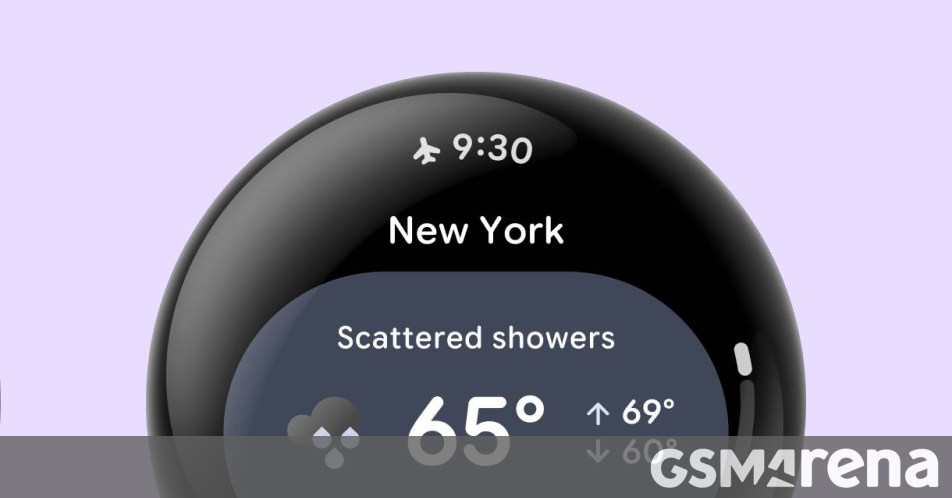
Google is experimenting with a small but important change to Wear OS – adding a status bar, similar to Android phones. A test version of this feature was included in the Wear OS 7.1 canary emulator and the company is asking developers to try it out and send feedback.
The feature will add a status bar that displays the current time and the most important status indicator at the top of the screen – if there are multiple status indicators, only the top priority one is displayed.
Screen real estate is precious on a smartwatch, so Google has come up with several ways to avoid wasting it. The first is obvious – when the user is scrolling through a list, the status bar disappears. It will only come back after two seconds of inactivity.
Full-screen dialogs (e.g. a warning pop-up) will also hide the status bar. Additionally, the user interface will take care to avoid showing the current time twice in case the current screen already has a clock.
Developers have ways to hide the status bar in certain screens of their apps if they decide they need the extra room.
Google lists the following benefits of having a status bar:
Visual consistency: a uniform clock typography, placement and backplate across the system and all apps.
System status indicators: allows the platform to display status icons (such as active microphone and location indicators, connectivity status or battery information) and time across surfaces. Only one icon is shown at a time, based on priority.
Automatic scroll & transition coordination: when paired with Jetpack Compose for Wear OS 1.8, the system status bar automatically hides when users scroll through content and reappears after a short (2s) idle delay.
Again, this is only an experiment – it won’t even be available in the standard Wear OS 7.1 emulator, only the canary build. And it certainly won’t be available in the actual Wear OS 7.1 release for watches.
It looks like Google intends to make this a part of Wear OS 8, assuming that developers don’t shoot down this change. If you are a developer, you can follow the Source link to learn more about the changes to AppScaffold and ScreenScaffold.
Source: Read original article



Comments ()