


Google Messages is one of the most popular messaging platforms on the planet — so popular, in fact, that companies like Samsung and Verizon are doing away with their in-house messaging apps in favor of it. More than 1 billion users engage with Google Messages monthly, and a large part of the experience is RCS. We’ve been eagerly looking forward to the introduction of quality control when sending photos, a feature first spotted earlier this month.
Now, Google Messages has begun rolling out the “original quality” media-sharing feature, as noted by Android Authority. For now, it’s only available in the beta, but that’s a firm sign that all users will be receiving it shortly.
Activating the feature is simple.
- Select the Media Quality button in the top-right corner of your screen (the HD/HD+ symbol).
- You’ll have two options: Optimized for chat and Original quality. Select Original quality.
- Select your image and choose Send.
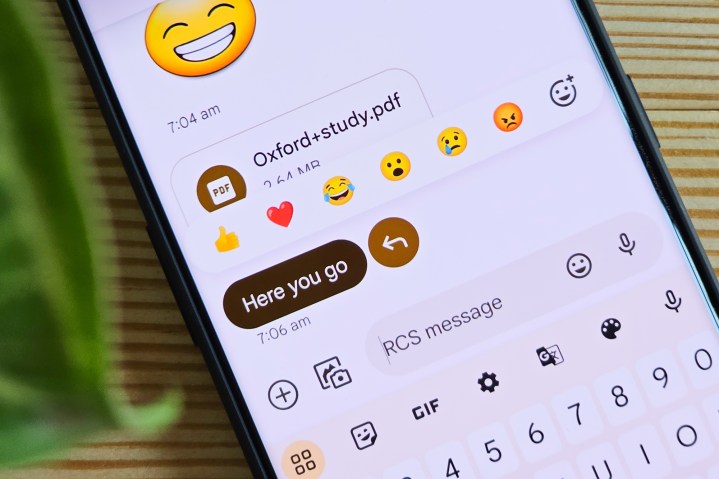
Optimized for chat will send the image at a lower resolution, with less data consumption, while Original quality will send the image through with no restrictions.
That’s all there is to it. Now, that stunning photo you took of the sunset will be available to your friends in all its orange-and-purple-hued glory, but it might take a bit longer to send with no compression (and it will use more data). It’s also worth noting that turning this feature on sets it as the default for the chat you’re in, as well as any other chats. At the moment, there’s no way to set Original quality on a per-chat basis.
The rollout is happening in beta 20241118_03_RC00 of the Google Messages app. Depending on the number of issues Google has to sort out before launching the feature, it should arrive to the wider public within a few weeks.

Patrick Hearn writes about smart home technology like Amazon Alexa, Google Assistant, smart light bulbs, and more. If it’s a…
Google Messages is about to make finding group chats so much easier
For all its utility, Google Messages has been missing one big feature: the ability to easily search for group chats and send a new message to them. That’s about to change. Users running the Google Message beta (version 20240820_00_RC00) can test this feature for themselves, but it’s not yet available for everyone.
When you start a new conversation, the “To” field displays your contacts. Before this beta, the field would display only individual people. Even if you had an existing group chat, you wouldn’t be able to send a message straight to it from the new message screen. The new feature means you can look for specific group names and participants; in addition, it displays the last message sent to the group.
Read more
Google Maps is getting 2 helpful new features. Here’s how they work

Google Maps is getting some useful new features that should significantly improve navigation. This follows a major redesign that Google unveiled during Google I/O 2024 that showcased a cleaner home screen, new pin colors, and a more simplified interface with three new tabs rather than five.
In this case, there are actually two sets of updates: one for Google Maps and another for Waze, which, in case you weren’t aware, is also owned by Google. Starting with Google Maps, users will now get additional guidance on entering buildings and where to park when driving.
Read more
Should you buy the Google Pixel 8 now or wait for the Pixel 9?

Now far from being the obscure secret of the mobile industry, the Pixel has become a household name, thanks to Google’s insistence on delivering a solid Android experience, along with one of the best smartphone cameras you can buy. The current pinnacle of that line is the Google Pixel 8, which offers everything we want from a Google smartphone. It’s fast, gets updates on day one, and has a camera that delivers stunning shots.
The Google Pixel 8 was revealed in October 2023, which means it’s fast approaching its one-year birthday. But celebrations aren’t likely to be in the cards, not when there’s likely to be a shiny new phone to distract us. Google has confirmed the Google Pixel 9’s existence, and that means prospective Pixel 8 buyers now have a choice to make: buy the Pixel 8 now, or endure an agonizing wait and see what the Pixel 9 can offer.
It’s a tough choice, but we’re here to help make it a little easier. While we don’t know for sure what the Pixel 9 will bring to the table, we have a lot of leaks and rumors to help us make a more informed choice.
So, should you buy the Google Pixel 8 now or wait for the Pixel 9? Read on to find out.
Google Pixel 9 vs. Pixel 8: design
Google Pixel 8 Andy Boxall / Digital Trends
Read more
