This upcoming Google Photos tool could let you lean into that grainy, film camera look
Affiliate links on Android Authority may earn us a commission. Learn more.
This upcoming Google Photos tool could let you lean into that grainy, film camera look
Nov 4, 2026 — 6:40 AM ET
- Google Photos is working on brand-new tools for the Adjust menu in its image editing interface.
- We have uncovered four new effects, namely Light leaks, Grain, Halation, and Noise, in a recent version of the Photos app.
- All these under-development effects also get sliders to let users manually adjust their intensity.
Google Photos currently offers an extensive set of image editing tools, letting you make granular edits to your photos without opening another app. It now looks like the Google Photos team is developing a few more editing tools, specifically within the Adjust menu in the editing interface.
You’re reading an Authority Insights story. Authority Insights brings you all the latest exclusive reports, app teardowns, leaks, and in-depth tech coverage from the Android Authority team that you won’t find anywhere else.
In version 8.0 of Google Photos, we activated four new options in the Adjust menu from the image editor interface, namely Light leaks, Grain, Halation, and Noise. Here’s a look at where all four options will live:
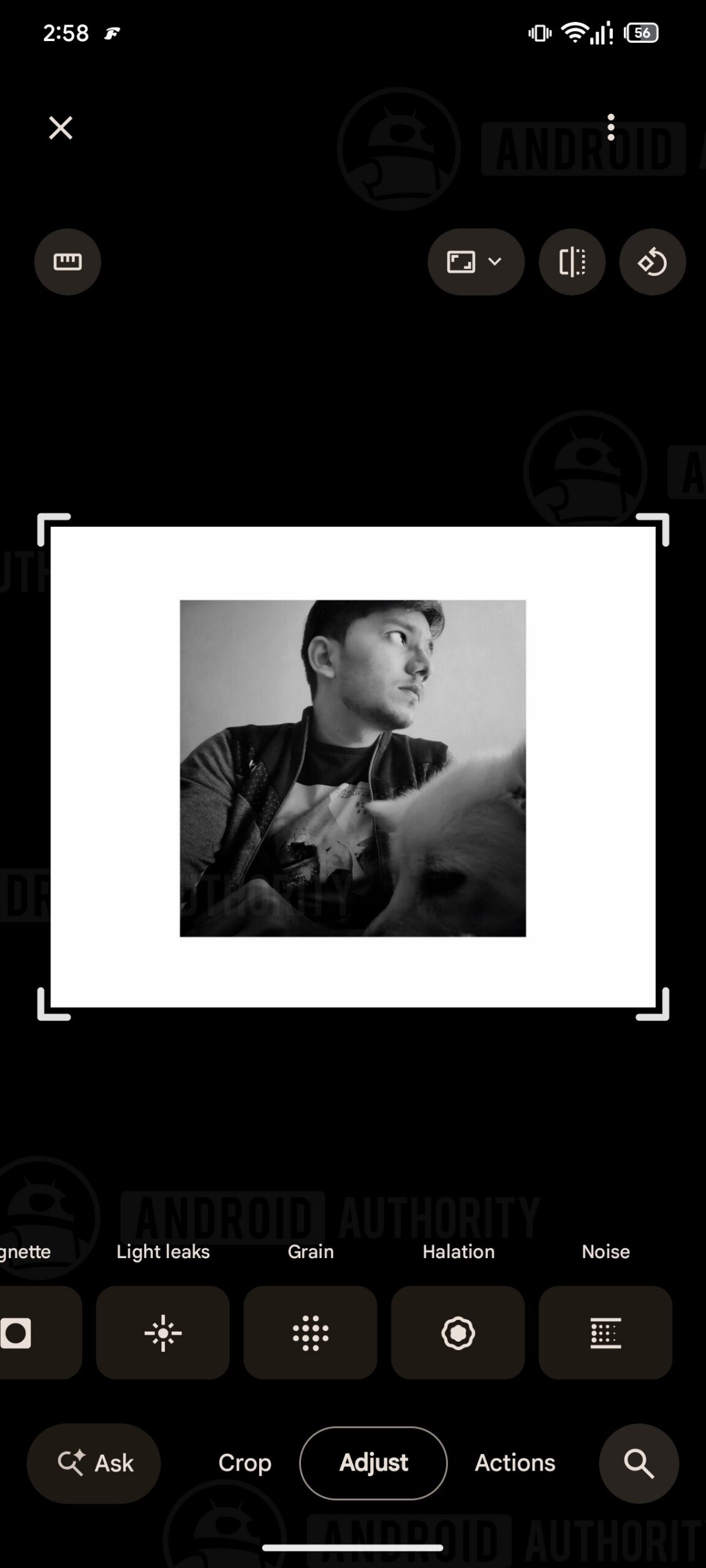
We found that all four editing tools in the Adjust menu work as intended. They also include sliders to adjust the intensity of the effects (0 to 100), much like some other tools in the app.
First up, we’re looking at Light leaks, which adds an orange/red effect around the edges of an image, resembling light entering a camera. Google Photos could provide six options under Light leaks, each labeled in Roman numerals. Users should be able to control the visibility of these effects, with the slider highlighting the Light leaks effect currently in use.
Next, we’re looking at Grain, which mimics the effects seen on analog cameras for that old-fashioned look. Unlike Light leaks, however, Grain, Halation, and Noise don’t offer additional preset options.
Halation adds a warm, reddish hue around bright areas of an image, which is another callback to traditional film-based cameras. Lastly, Noise brings variations in color and brightness to replicate an image captured with high ISO settings, with the onboard slider letting you tweak how much of the effect is visible.
Since these effects in the Adjust menu worked normally during our testing, one might think they’re not far from an official rollout. That said, this is still an early discovery, and it’s too soon to say whether these new effects will see the light of day in the Photos app.
Source: Read original article


Comments ()