Samsung quietly expands Modes and Routines with AI and 7 presets in One UI 9.5
Affiliate links on Android Authority may earn us a commission. Learn more.
Samsung quietly expands Modes and Routines with AI and 7 presets in One UI 9.5
Nov 25, 2026 — 10:06 AM ET
- One UI 9.5 Beta 1 adds an “Ask AI assistant” action to Samsung’s Modes and Routines app that can send prompts to Gemini or Perplexity.
- In our testing, Perplexity automatically sends prompts and reads answers aloud hands-free, whereas Gemini only prefills the prompt and waits for a manual tap because the Google app blocks Samsung’s auto-send request.
- The update also unlocks text summarization, offline translation, image text extraction, and a Repeat loop action. There are also seven new preset routines, including a Morning news briefing that only works hands-free when switched to Perplexity.
Samsung’s Modes and Routines has quietly become one of the most useful parts of One UI for power users. It lets you automate almost anything on your Galaxy phone with simple “if this, then that” rules. With the One UI 9.5 beta, Routines can now hand tasks to an AI assistant as well. Samsung didn’t mention this in the One UI 9.5 beta changelog, but we tried it on our Galaxy S26 Ultra, and which AI assistant you pick makes a big difference.
APK teardown
This reporting is based on work-in-progress code. These features may not ship.
Routines can now ask Gemini or Perplexity for you
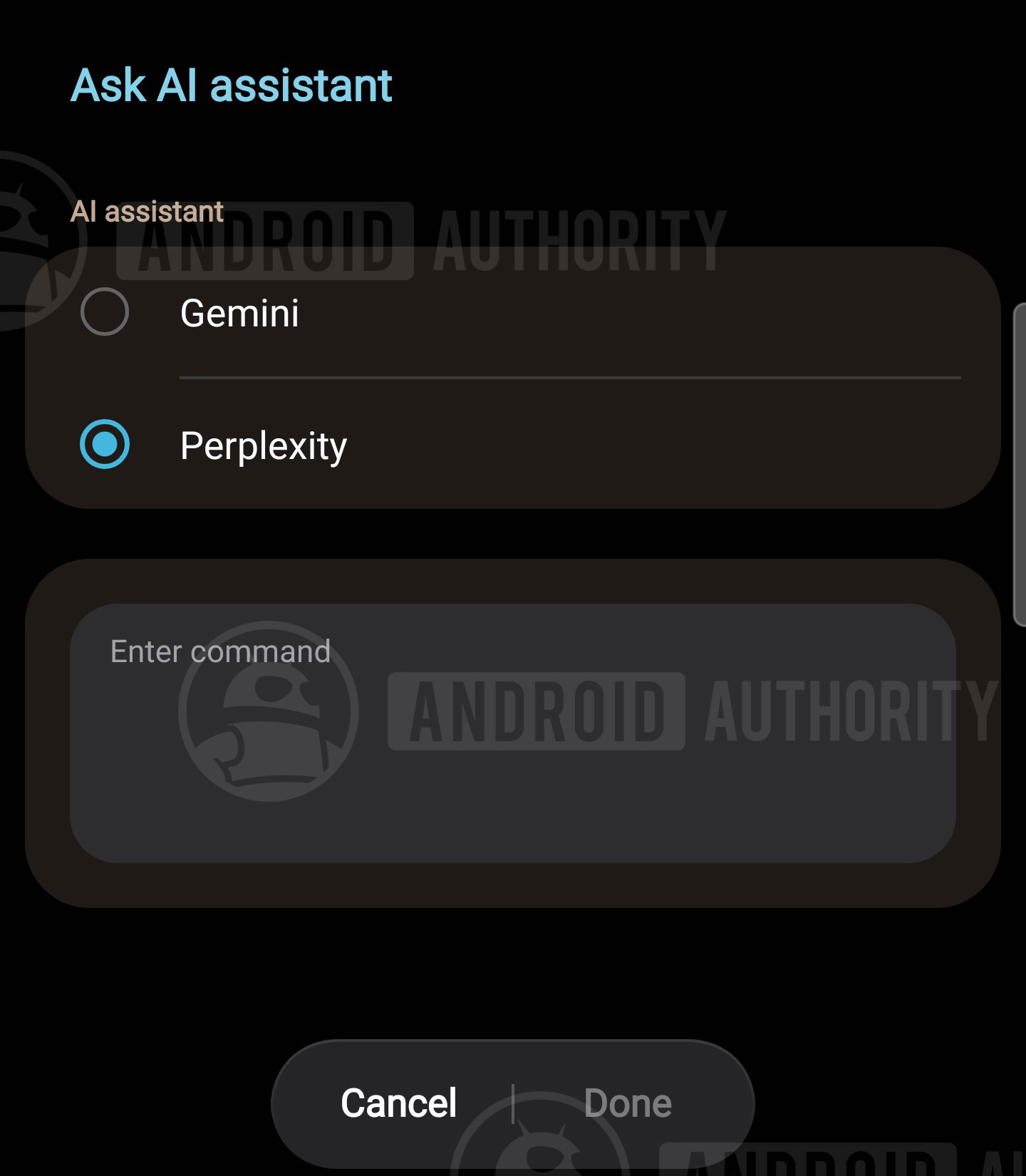
Modes and Routines v5.2.00.69 in One UI 9.5 Beta 1 adds a new action called “Ask AI assistant.” You pick an assistant, type a prompt into the “Enter command” box, and the routine sends it whenever its trigger fires, whether that’s dismissing your alarm, arriving at work, or tapping a button. The prompt can also include text from earlier actions in the routine, going up to 8,000 characters.
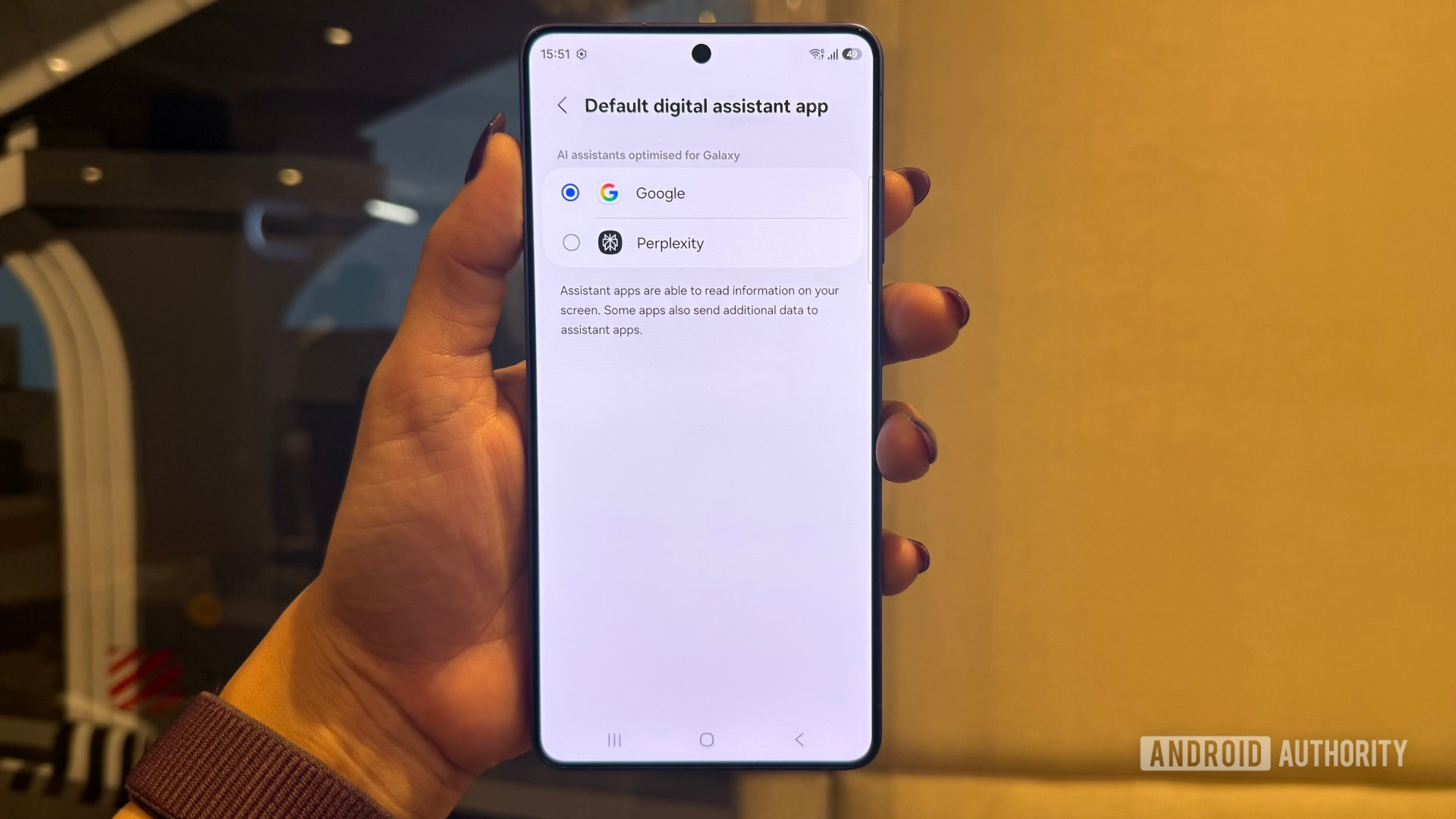
Gemini and Perplexity are the only two options for Ask AI assistant, and they appear only if their apps are installed. Both are built into the Routines app, so you can’t add other AI assistants like ChatGPT or Claude. Routines still has a separate “Ask Bixby” action from One UI 9, too.
There’s a catch, though: Routines can only launch the assistant. It doesn’t wait for an answer or receive one from the assistant, so you can’t feed the AI’s response back into a later action like a pop-up or a note. The routine finishes as soon as the assistant opens.
Perplexity answers on its own, but Gemini waits for you
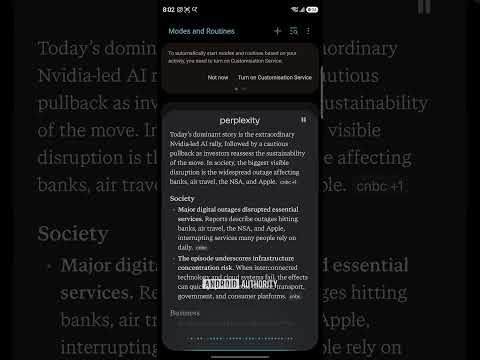
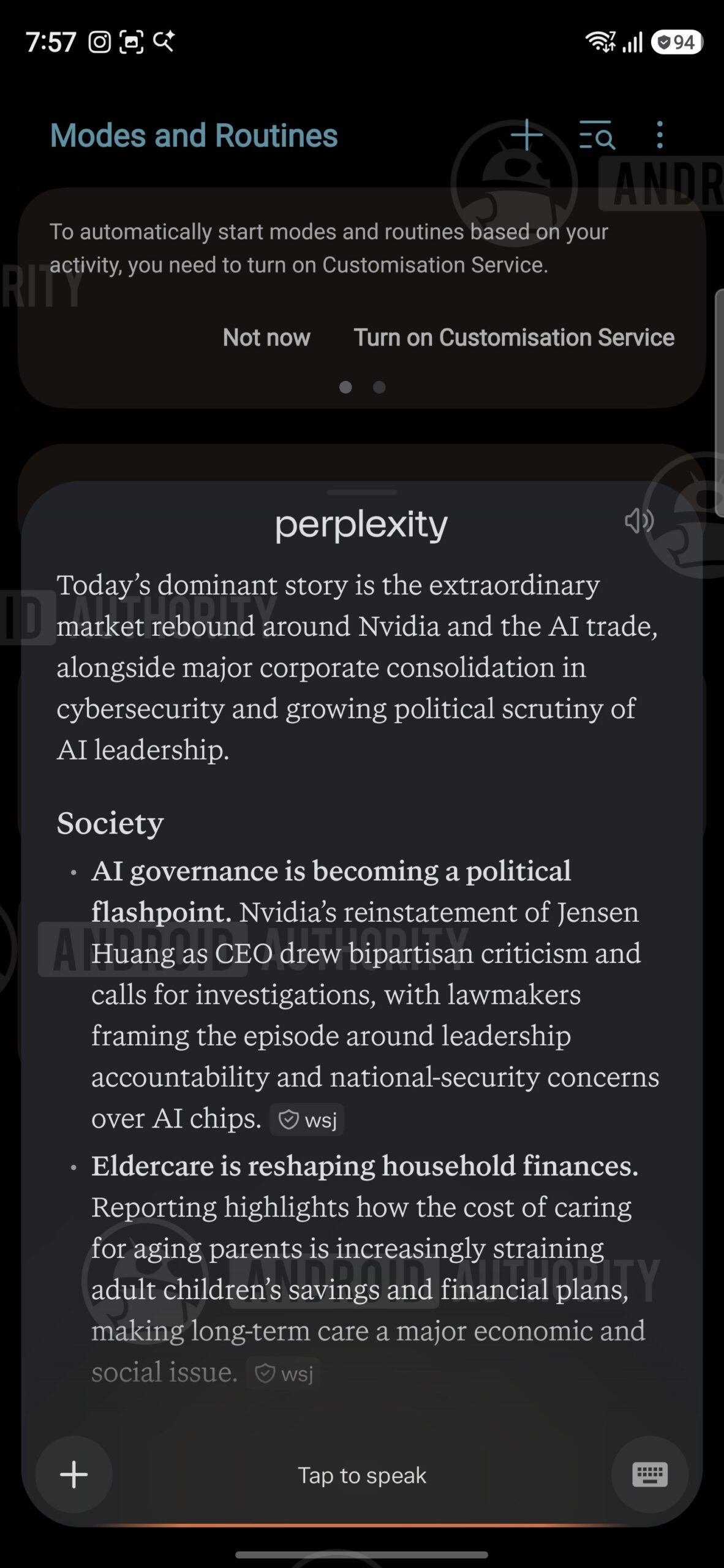
With Perplexity, Routines opens the app’s floating assistant with the prompt and tells it to send the prompt right away:

In our testing, once the routine was triggered, Perplexity searched the web, answered in its overlay with sources, and read the answer aloud, without us touching the phone.
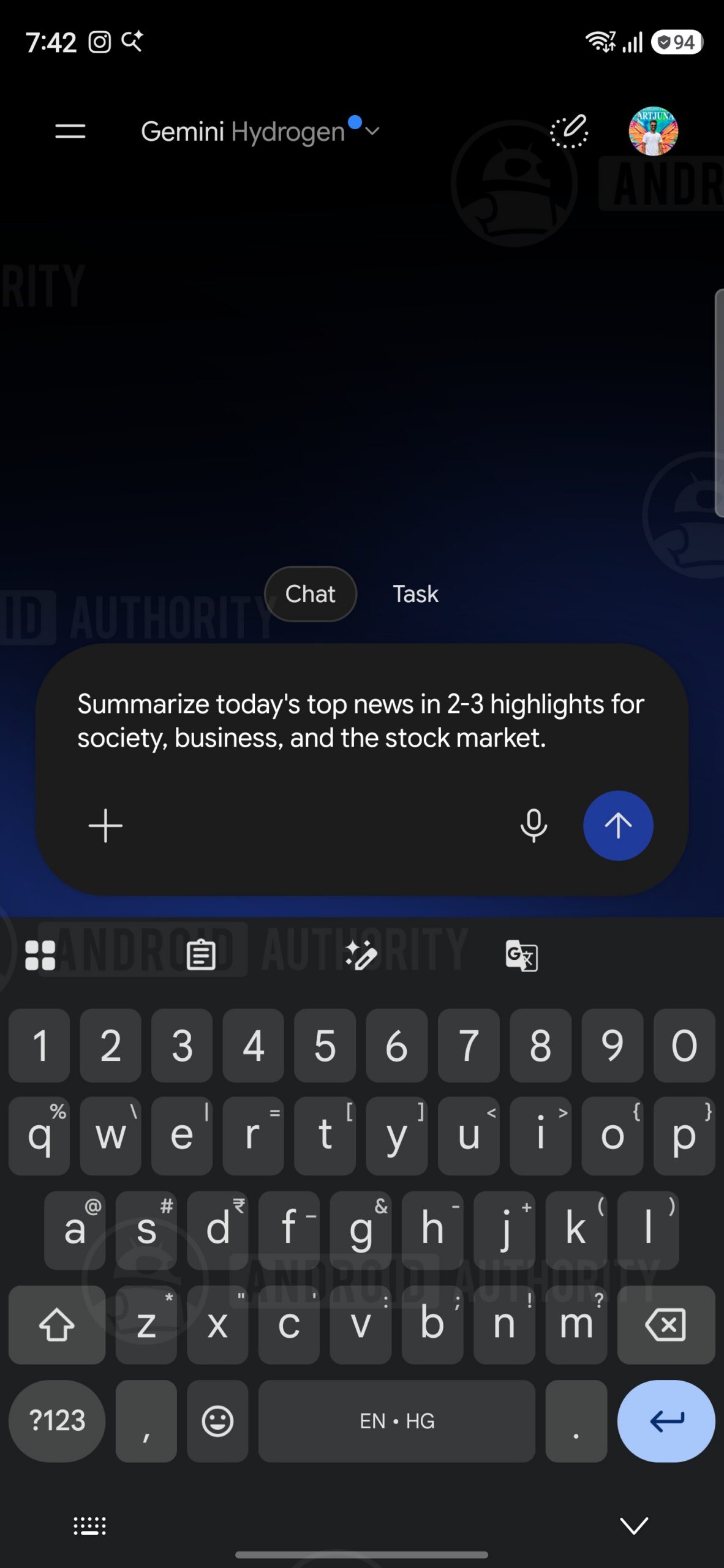
Gemini is a different story, though. Routines first tries to send the prompt automatically through a Google app service. If that fails, it falls back to sharing the text with the Gemini app, which only prefills the prompt.
On our Galaxy S26 Ultra, the Google app (v17.76.14) rejected Samsung’s request, so Routines used the fallback. Gemini opened full screen with our prompt typed in, and then waited for us to tap Send (which kind of defeats the convenience of a routine).
Seemingly, the Google app only lets Google’s own apps use this service (for now), so Samsung’s automation has to stop halfway. Google could add Samsung Routines to that allowlist before One UI 9.5’s stable release. Until then, Perplexity is the only assistant that works hands-free in a routine. This is a nice win for Samsung’s growing partnership with Perplexity, even though the limitation likely comes from Google’s side.
The new Morning news briefing preset doesn’t work as advertised with Gemini
This disparity in auto-send behavior in Perplexity vs Gemini matters most for one of the seven new preset routines. “Morning news briefing” runs when you dismiss your alarm, and Samsung describes it like this:
<string name="preset_name_morning_news">Morning news briefing</string>
<string name="preset_description_morning_news">When you dismiss your alarm, a summary of the latest news in society, business, and the stock market is read aloud.</string>
<string name="preset_param_morning_news">Summarize today's top news in 2-3 highlights for society, business, and the stock market.</string>
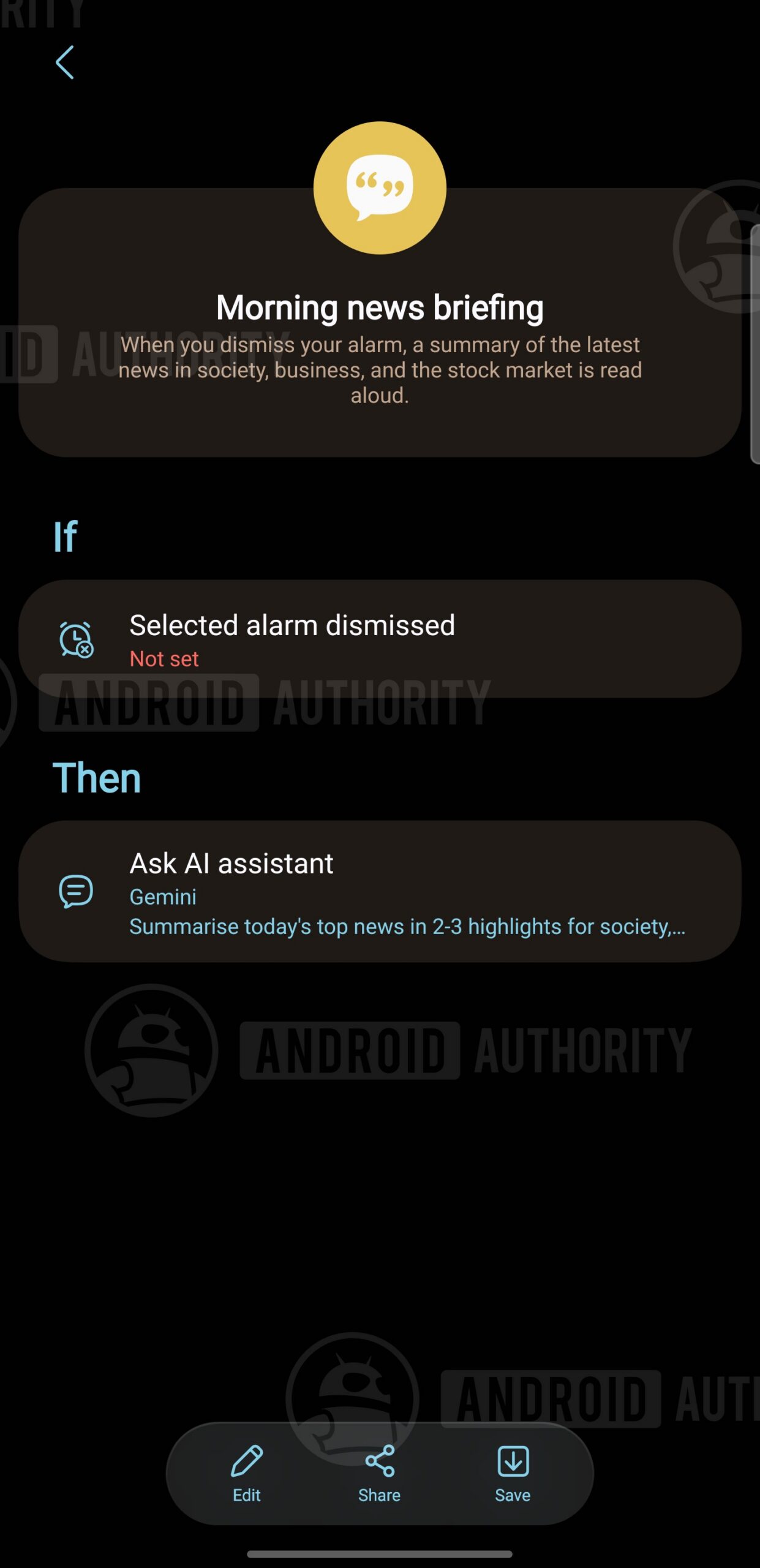
However, the preset’s only action is Ask AI assistant, and it’s set to Gemini by default. There’s no separate read-aloud step in the preset. As a result, with Gemini, you’ll dismiss your alarm and find the news prompt sitting unsent in Gemini. Nothing gets read back to you automatically.
When you switch the assistant to Perplexity, you get the spoken briefing Samsung promises.
Routines also learns to summarize, translate, and read text from images
The One UI 9.5 beta also adds several more actions:
- “Summarize text” condenses text from earlier in the routine. It runs on Samsung’s servers and needs a Samsung account. It also won’t work if you’ve turned on “Process data only on device” for Galaxy AI, except for the Timeline style.
- “Translate text” runs entirely on your phone using Samsung’s offline language packs.
- “Extract text from image” reads text from a picture, such as your latest screenshot.
- “Repeat” loops actions in a routine.
Summarize and Translate existed in One UI 9’s Routines app, but were hidden and not accessible to users. One UI 9.5 makes them available to everyone.
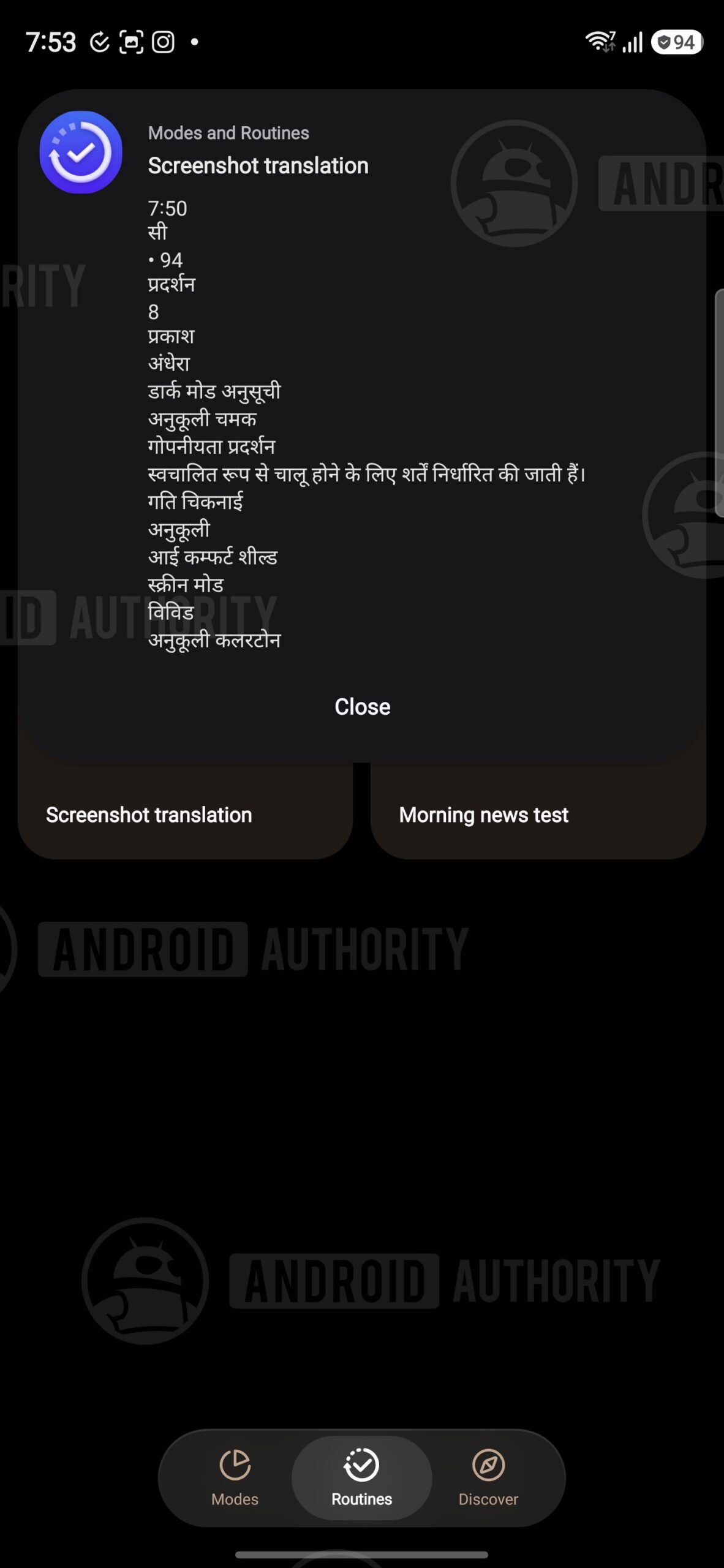
These actions power some of the new presets. “Screenshot translation,” for example, extracts text from your screenshot, translates it, and shows the result in a pop-up. In One UI 9.5 Beta 1, though, the preset can’t be saved because its “Screen captured” trigger isn’t active yet. When we rebuilt it with a manual trigger, it translated a Settings screenshot into Hindi in a couple of seconds, entirely on the device.
Seven new preset routines are ready to use in the One UI 9.5 Beta 1
One UI 9.5 adds seven new preset routines in total, which you’ll find under Discover > New preset routines:
- Pomodoro timer: Get notified at the start of each 25-minute focus session followed by a 5-minute break.
- Monthly media cleanup: Once a month, your duplicate photos and old media files are shown for you to review and delete.
- Screenshot translation: When a screenshot is taken, text from the image is translated and shown in a pop-up.
- Morning news briefing: When you dismiss your alarm, a summary of the latest news in society, business, and the stock market is read aloud.
- Meeting recorder: A meeting is recorded, transcribed, and summarized, then saved as a note with the date and time.
- Plank workout routine: Get a voice guide for three sets of 1-minute planks and rest intervals.
- Monthly storage cleanup: Once a month, your old download files, installation files, and unused apps are shown for you to review and delete.
Samsung hasn’t mentioned any of these Routines changes in its One UI 9.5 beta changelog, but they’re already live in the beta, so you can try them if you’ve installed it. Things could still change before the stable release, especially if Google lets Routines automatically send prompts to Gemini. If you’re on the beta, try the Morning news briefing preset with Perplexity, and let us know in the comments below how it works for you.
Source: Read original article


Comments ()