I’ve used every Android foldable released this year. Here’s how the iPhone Duo stacks up
Affiliate links on Android Authority may earn us a commission. Learn more.
I’ve used every Android foldable released this year. Here’s how the iPhone Duo stacks up
Nov 2, 2026 — 5:30 AM ET
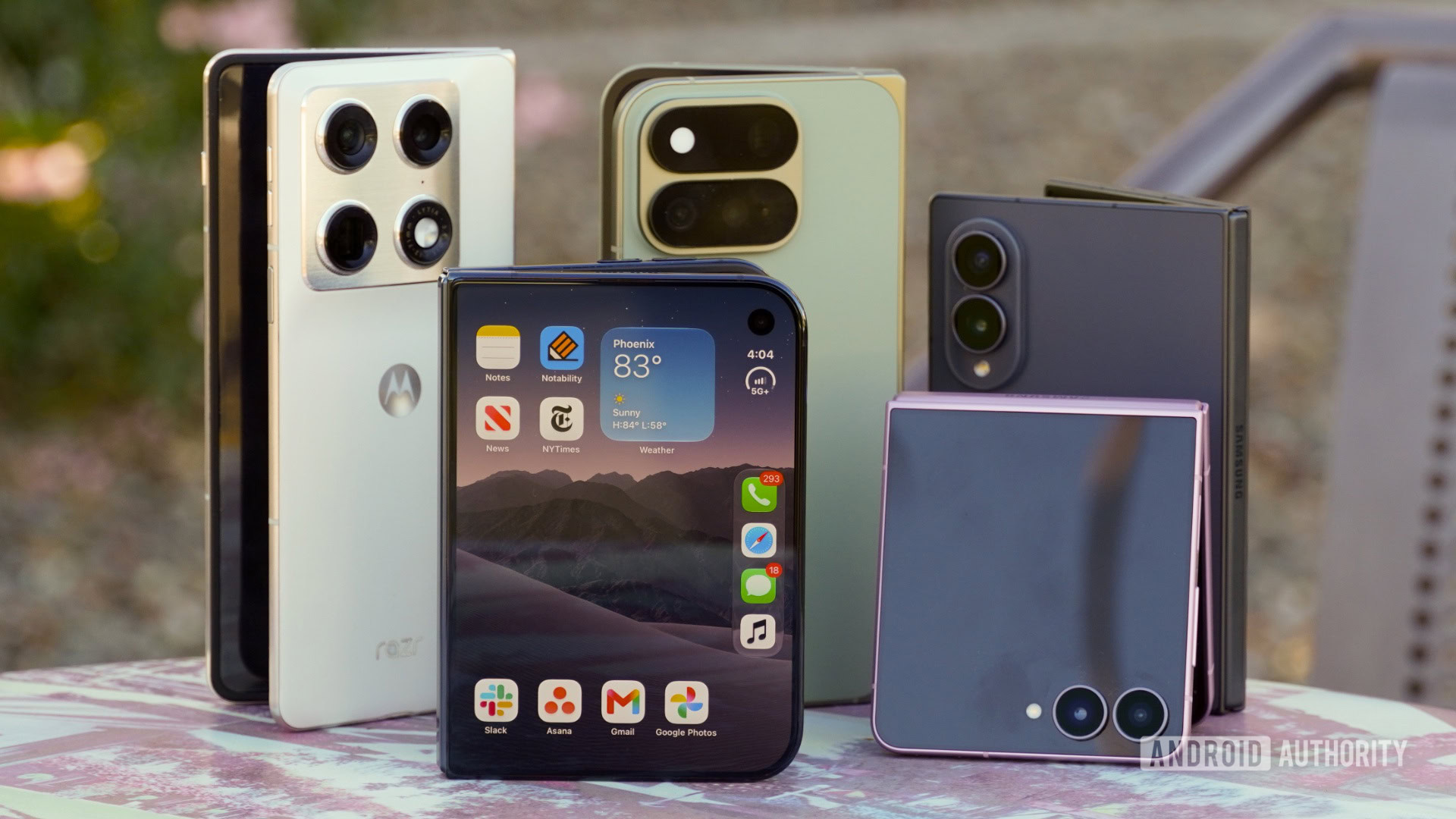
Five years ago, foldable Android phones were the innovation that made me leave my iPhone behind in the first place. I’ve had my SIM in one folding phone or another since the Galaxy Z Flip 3, and I’ve tested every foldable released in the US this year — that’s four from Motorola, three from Samsung, and one from Google.
I became enthralled with wide foldables, and bought the Samsung Galaxy Z Fold 8 to be my daily driver. I’ve been using the iPhone Duo for the better part of five days now, and the wide form factor is similarly joyous on Apple’s first foldable.
But to Android users who know folding phones are nothing new, the iPhone Duo presents itself as a mixed bag of incredible ideas and middling execution.
Which foldable display finish do you prefer?
The iPhone Duo’s folding screen is all about polish
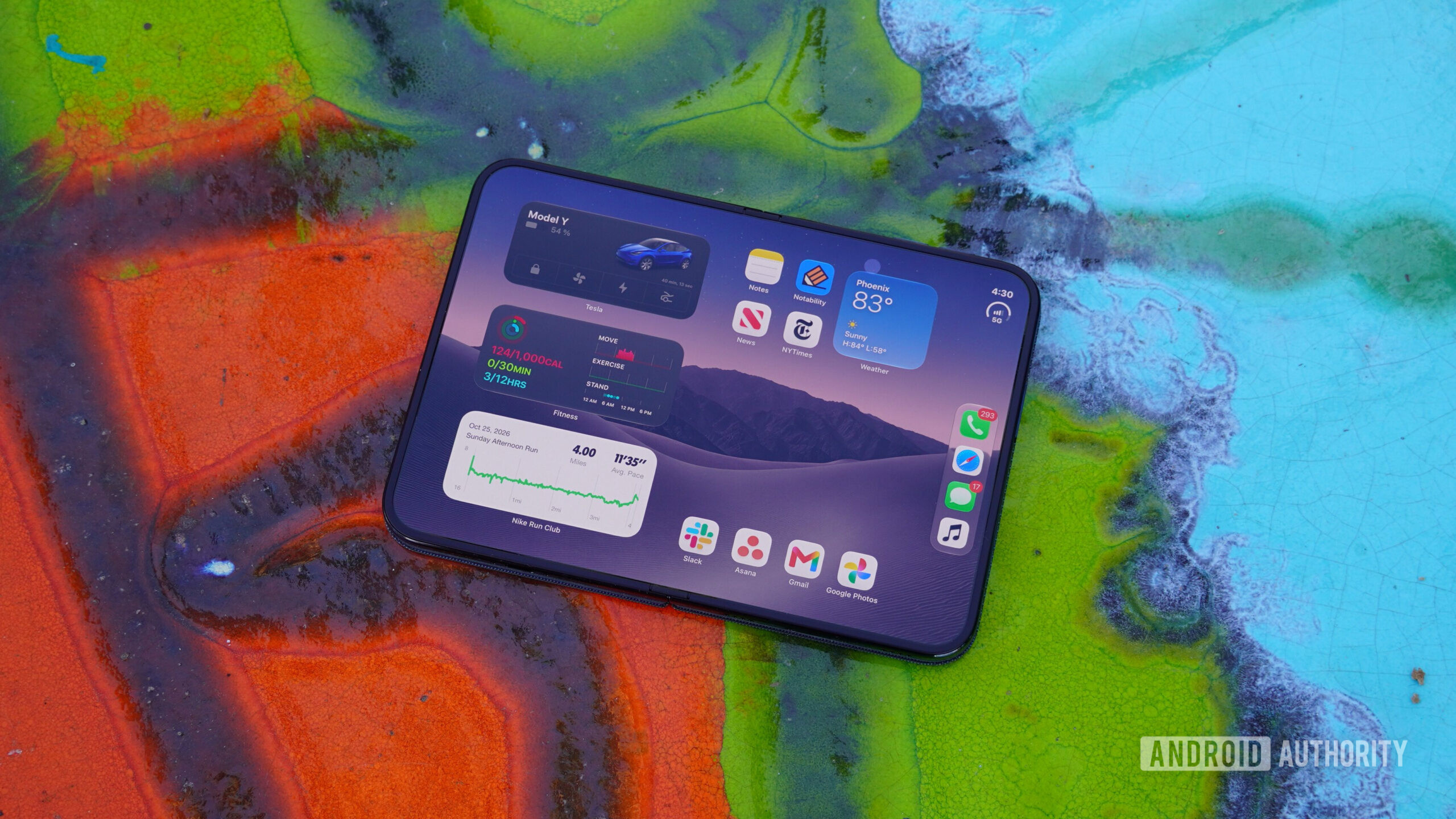
The iPhone Duo — like all other foldables — arrives unfolded in the box, and the first thing you’ll rest your eyes upon is the nano-texture top layer of the folding display. This is a fancy way of describing a matte finish, but there’s a reason Apple is using this verbiage. Apple’s pre-installed screen protector features laser-etched microlenses above each individual pixel at the nanometer level, hence why it’s called a nano-texture finish.
I’ve purchased products with nano-texture or matte finishes before, and have applied matte screen protectors to devices that ship with glossy glass out of the box. I generally enjoy matte displays due to their ability to diffuse light, but they’re controversial for a reason. Apple can’t change physics. Nano-texture and matte finishes diffuse and scatter light both ways. The same properties that prevent glare also cause the iPhone Duo’s foldable OLED to appear dimmer, less saturated, or grainier compared to displays with a glossy covering.
Apple can't change physics.
In my first few days with the iPhone Duo, I haven’t had any complaints about the phone’s color or brightness performance, including outdoors. I prefer to use the iPhone Duo in direct sunlight rather than the Galaxy Z Fold 8. But can I see a layer of grain on the iPhone Duo’s foldable screen that makes it less sharp than the Galaxy Z Fold 8’s glossy screen protector? Absolutely.
The iPhone Duo’s folding display assembly is more polished than anything I’ve used on the Android side of things. The raised bezel that surrounds the delicate flexible OLED on all foldables is more minimal on the iPhone Duo. More importantly, the hinge mechanism doesn’t protrude past that display bezel on the iPhone Duo. As you can see below, Samsung foldables have a hinge mechanism that protrudes from the chassis when they’re unfolded, raising a semicircle you can feel while using them.
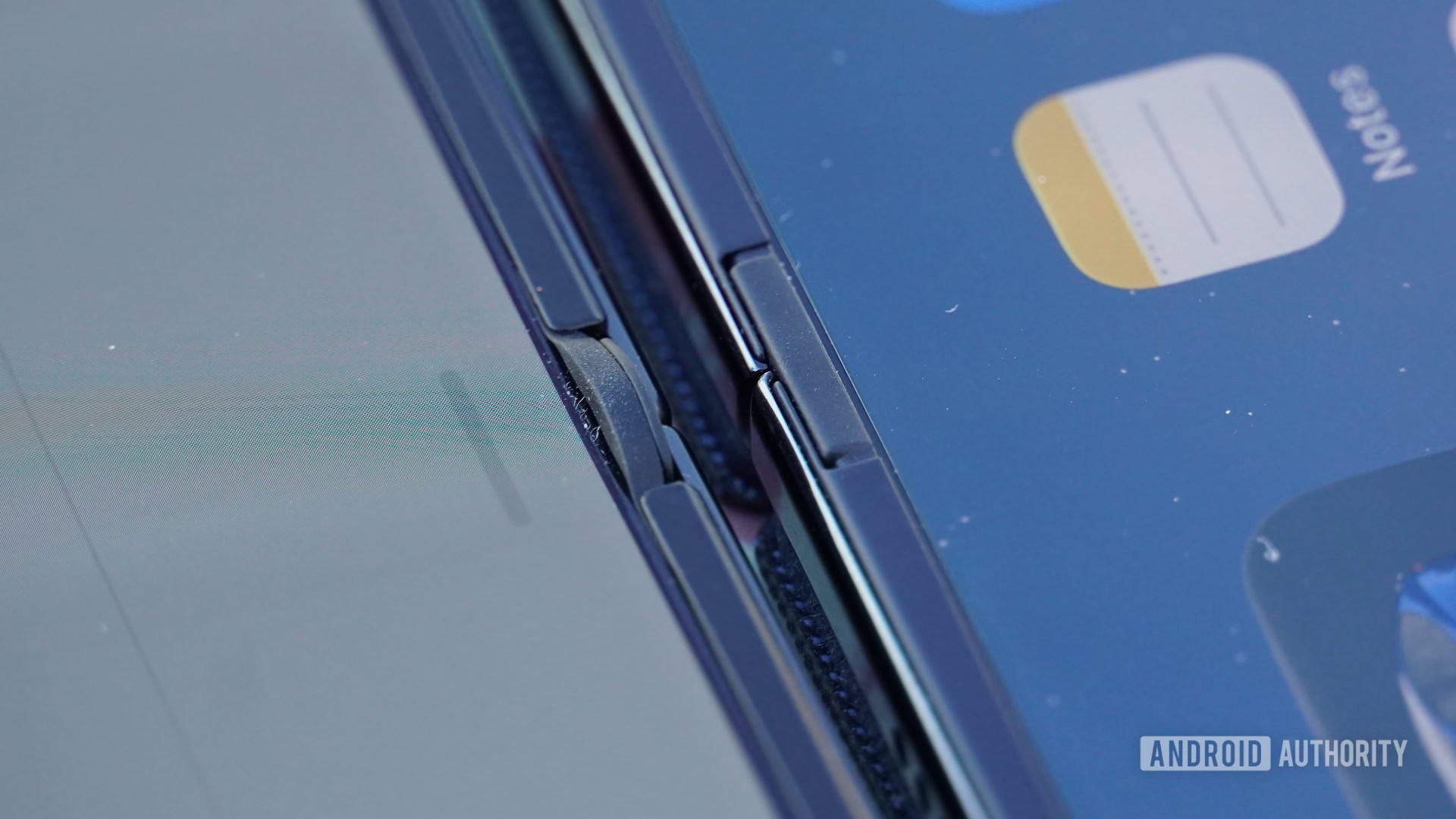
I didn’t notice the hinge point protrusions on Android foldables much until I learned what it was like not to feel them. They’re found on Google and Motorola foldables, too. The iPhone Duo can smoothly operate like a miniature tablet thanks to the hinge assembly that blends in with the bezel.
Apple called the iPhone Duo’s foldable screen “perceptually flat” in its announcement, which is a marketing quip for the ages. Yes, the iPhone Duo has a crease. No, it’s not noticeably more subtle than the Galaxy Z Fold 8’s crease. I don’t even think the nano-texture finish does that great of a job at hiding the iPhone Duo’s crease. It’s hard to see straight-on, but depending on the lighting situation, the iPhone Duo’s crease can stand out more off-angle.
The iPhone Duo has an early edge over the Galaxy Z Fold 8 as a content consumption device. With MagSafe, it’s easy to throw the Duo on a stand. Additionally, the iPhone Duo has true stereo speakers when unfolded, and they sound better than any foldable I’ve used. The Galaxy Z Fold 8 has stereo speakers, but they’re both on the left side when unfolded, and it sounds wrong to your ears.
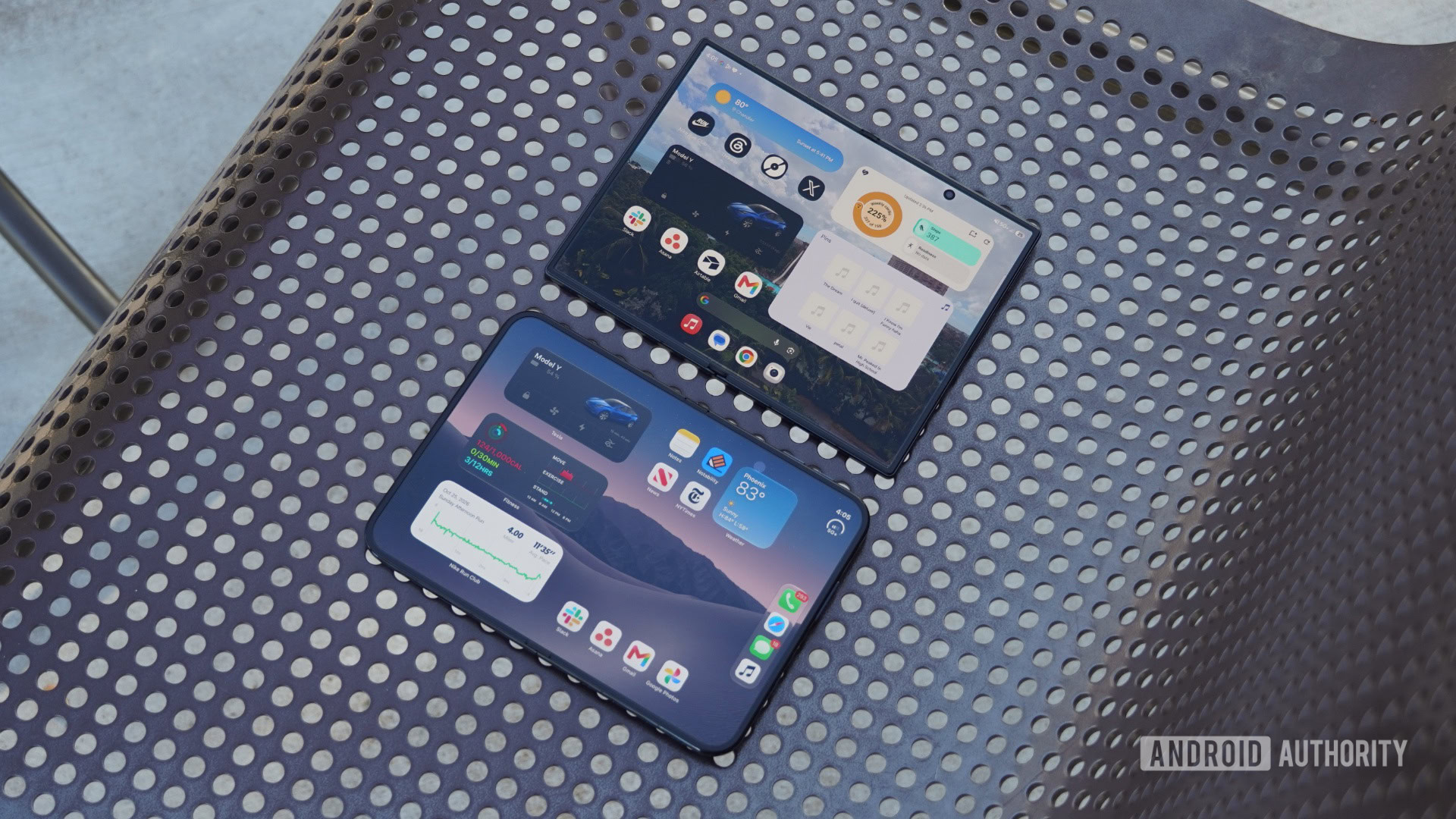
Of course, anyone who’s ever used a foldable for an extended period of time knows that the crease is something you quickly forget about. For those that care, Google and Motorola foldables have the deepest and most noticeable creases, but Apple and Samsung foldables are tied.
There’s one odd thing about the iPhone Duo’s display I can’t stop noticing: the under-display camera (UDC). I don’t like the Galaxy Z Fold 8’s hole-punch camera on the folding display or its placement, but the iPhone Duo’s UDC might be just as strange. Every UDC implementation suffers from quality loss that affects both the display and camera. The camera is hazy or blurry, and the display is pixelated and lower-resolution.
The iPhone Duo is unique because the area of the folding display affected by quality loss is larger than usual. The sensor area is low-resolution, and very noticeable — it’s the only part of the screen that isn’t covered by the nano-texture finish. This is normal, but there’s a secondary ring of pixels surrounding the UDC that also has lower display quality than the rest of the screen.
I captured this with a zoom lens, and you can see the difference in the size of the area affected by the UDC on the Samsung Galaxy Z Fold 6 (left) and the iPhone Duo (right).
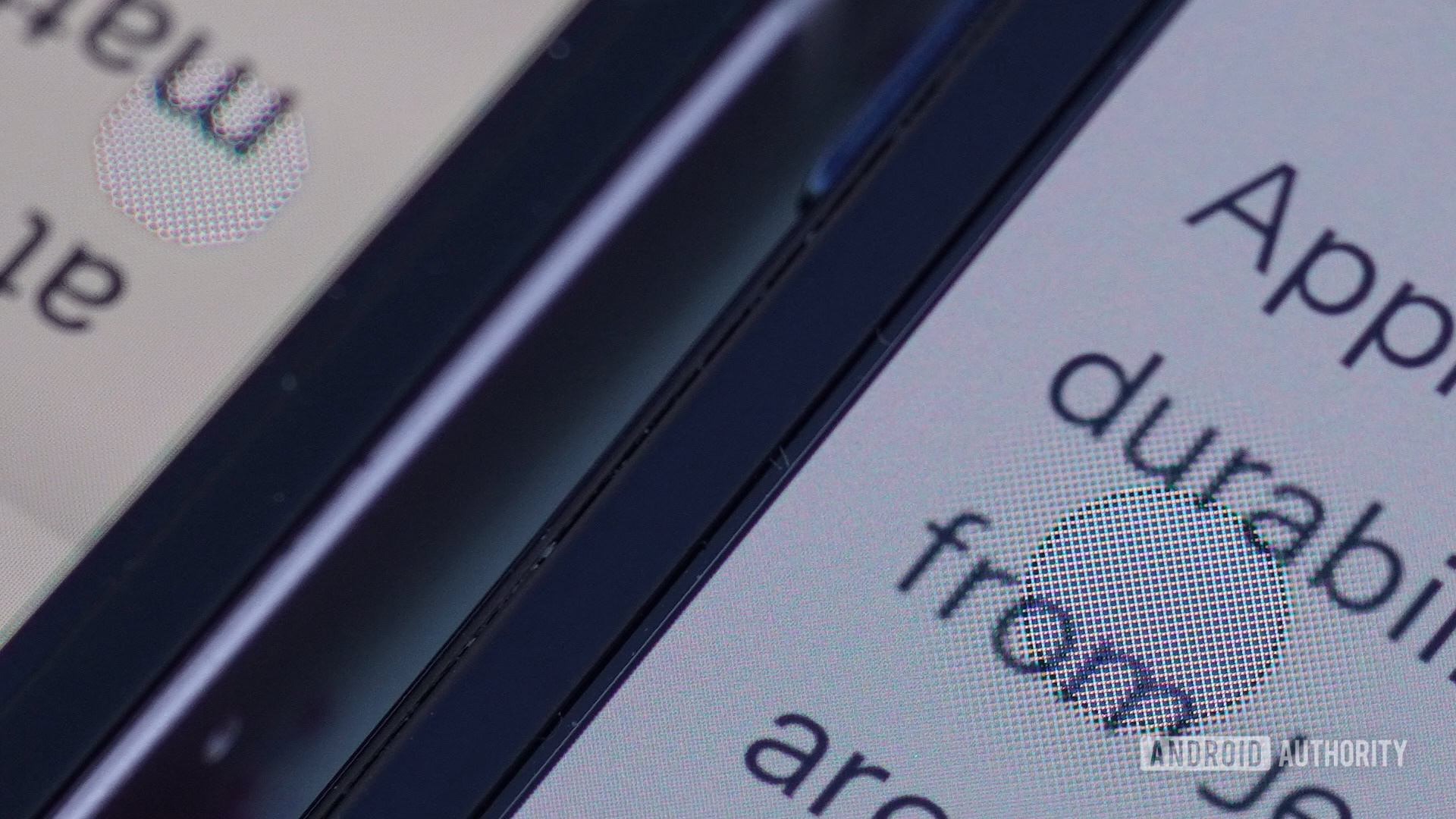
This likely won’t be a dealbreaker for everyone, but it’s another weird quirk that shows the Galaxy Z Fold 6’s UDC was ahead of its time. If it was my call, I wouldn’t put a selfie camera on the folding screen at all.
In case it wasn’t obvious, my iPhone Duo screen hasn’t cracked yet. The online chatter around “crackgate” is loud enough that Apple commented on the iPhone Duo’s early display failures, but until we learn the percentage of units actually affected, I’m not too worried about it.
Apple Pencil support is a revelation
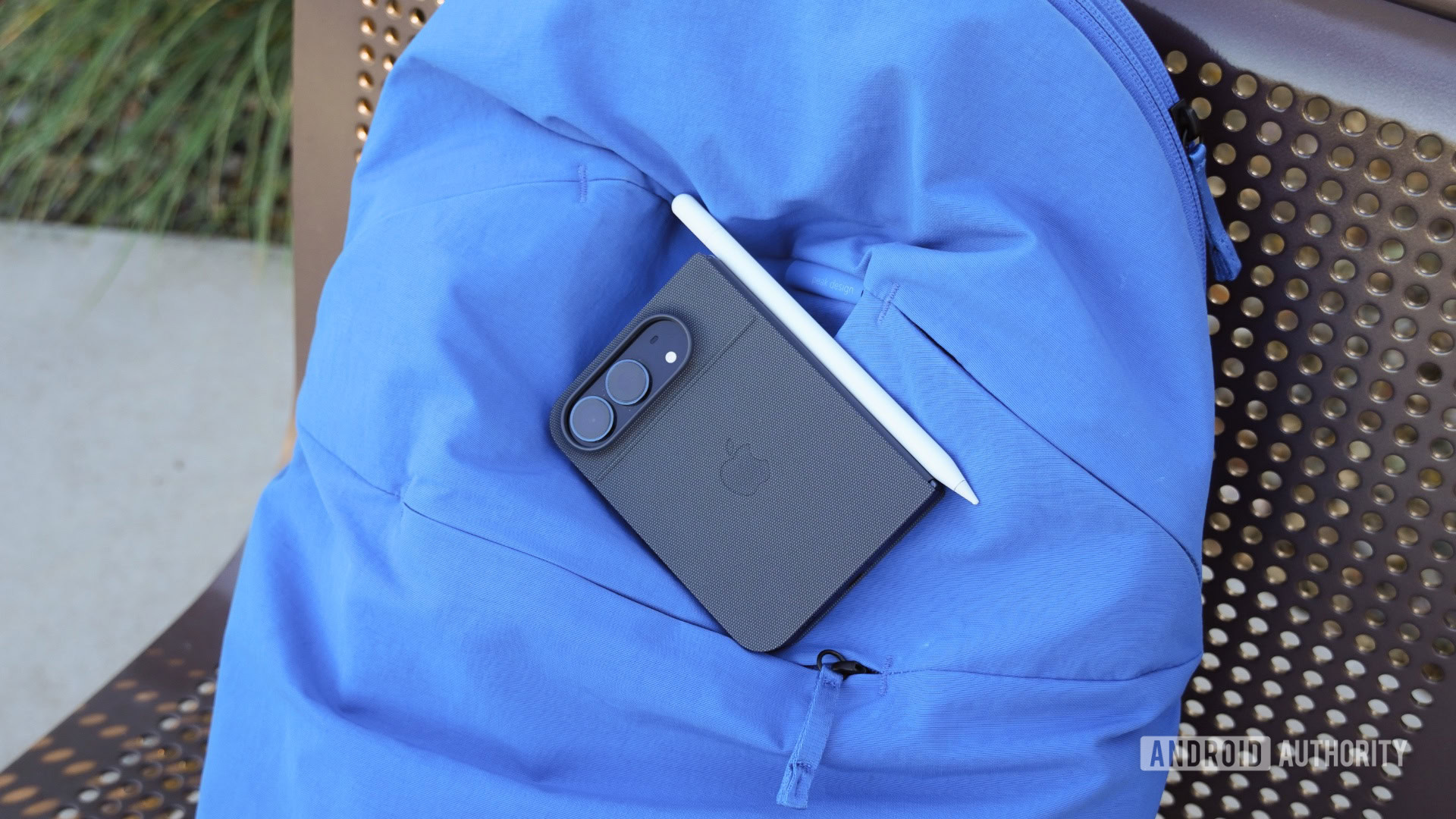
Another way the iPhone Duo excels as a pocketable tablet is with Apple Pencil support. Apple probably sold itself short by touting Apple Pencil support as coming “later this year,” because it’s live now in the stable iOS 27.2 release. I’ve been using the Apple Pencil USB-C with my iPhone Duo for a few days, mostly with the Notability app, and it’s incredible.
Some users will bemoan the lack of a stylus built specifically for the iPhone Duo or the absence of Apple Pencil Pro support. However, I find the Apple Pencil USB-C to be the perfect balance of price and functionality. A stylus fits right in with the iPhone Duo’s nano-texture display, because the finish makes using the Apple Pencil feel like writing on paper.
I haven’t mastered how to carry the Apple Pencil in my pocket with the iPhone Duo. It magnetically attaches to the hinge, but not strongly enough to be confident in storing it this way. The first day I put my iPhone Duo and Apple Pencil in the same pocket, the stylus went flying in the air when I tried to take out the Duo.
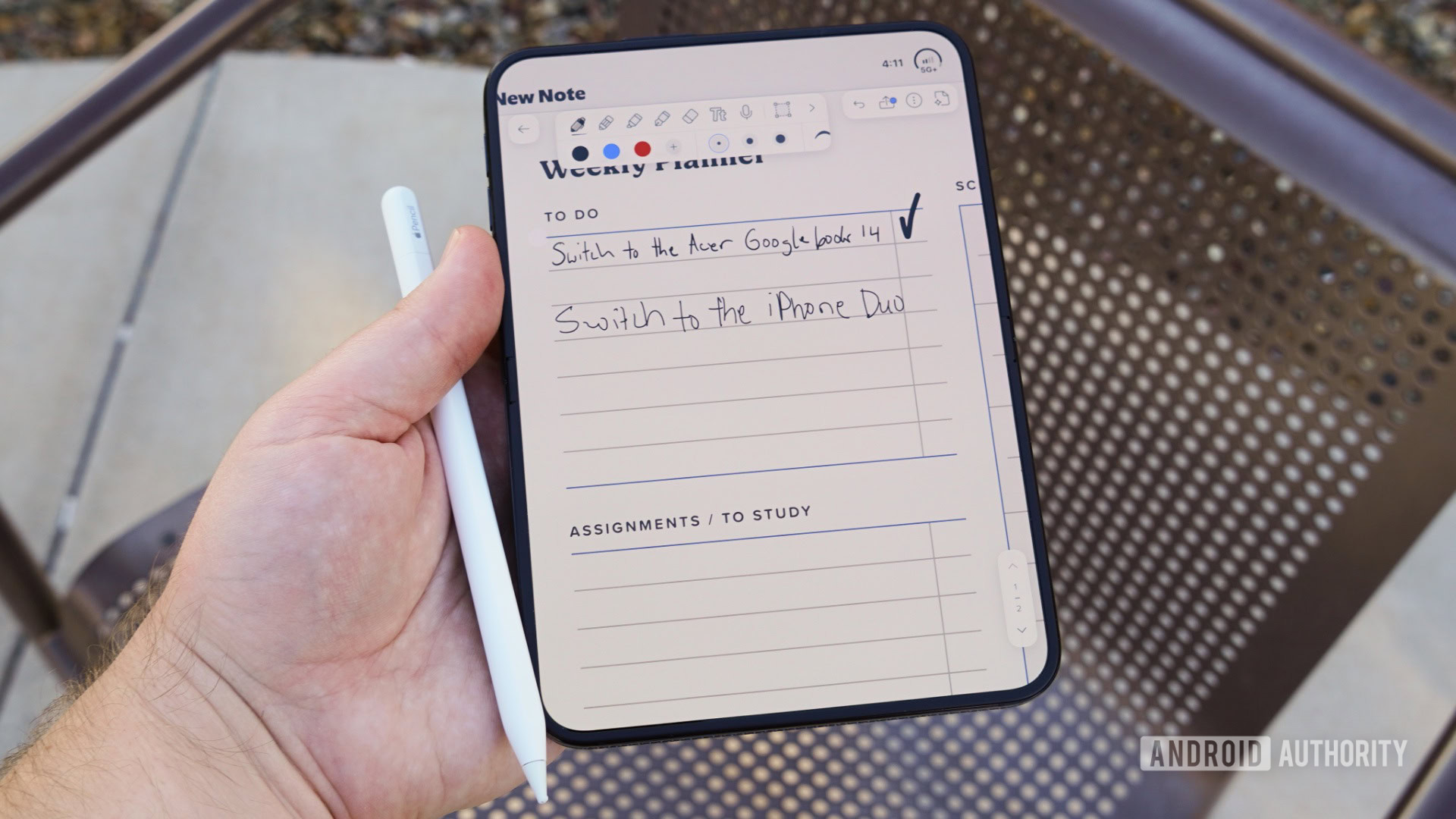
Aside from the fact that the Apple Pencil USB-C was clearly designed to be used with an iPad, I have no notes on the Apple Pencil experience on the iPhone Duo. This is a real stylus, not one created from the ground up to be gentle on a delicate foldable screen. I’ve used Samsung’s S Pen Fold Edition on prior Galaxy foldables and the Moto Pen Ultra on the Motorola Razr Fold, and both are toys compared to the Apple Pencil.
The iPhone Duo lends itself to use cases like content consumption and note-taking because of its MagSafe and stylus support. The Galaxy Z Fold 8, by comparison, is significantly thinner and lighter than the Duo. Samsung’s foldables ditched S Pen support and neglected to add Qi2 magnets to prioritize a slim and lightweight form factor, and the iPhone Duo is going to make people question whether those were the right moves.
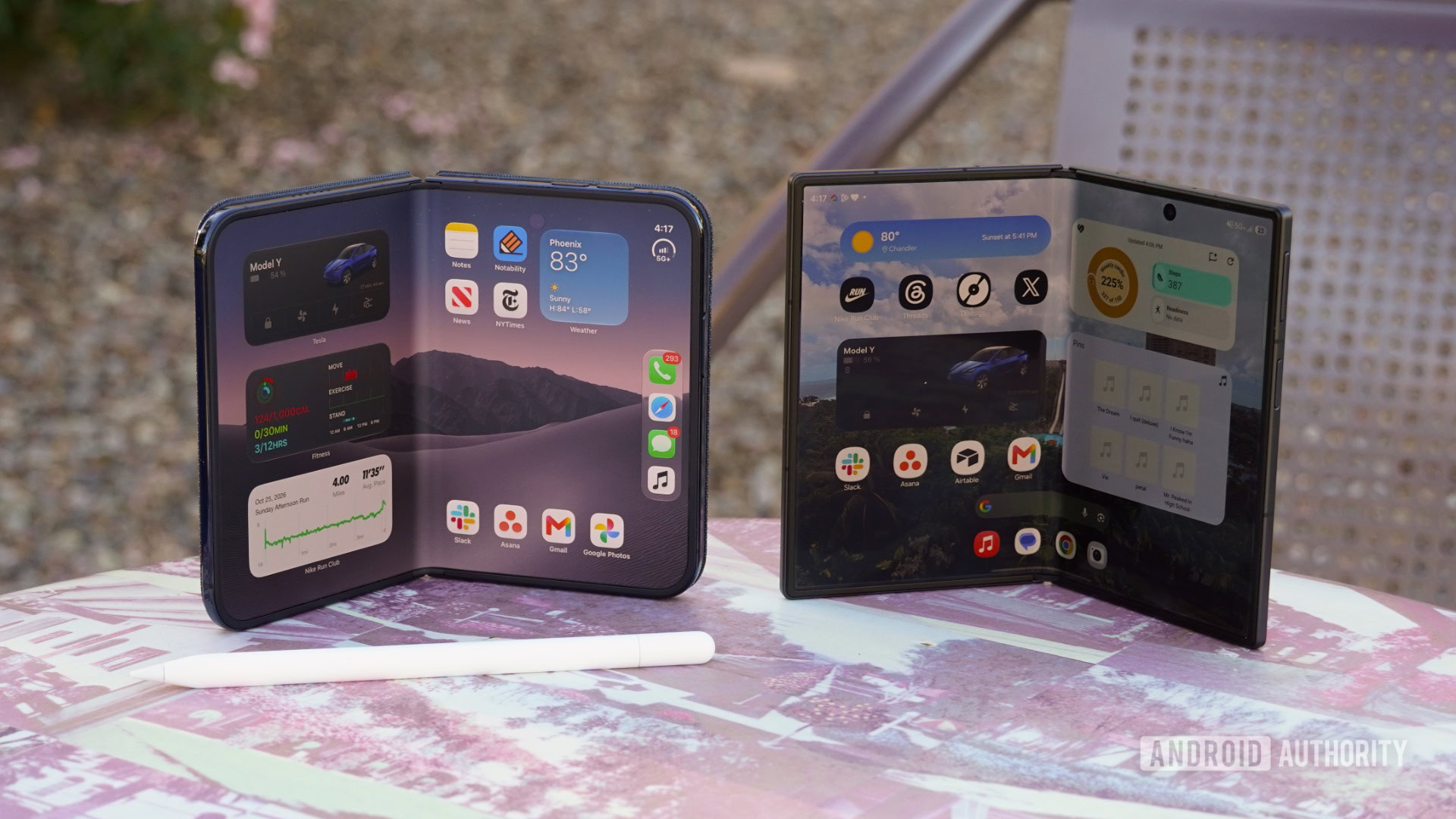
As someone with both phones in my pocket, I don’t think one is better than the other just yet — they’re just different. The iPhone Duo is more akin to an iPad mini that folds in half, and it makes sense that it’s thicker and heavier with Apple Pencil support. The Galaxy Z Fold 8 is like a short and stout Galaxy phone that just happens to unfold into a tablet, and its 9.7mm thickness and 201-gram weight are key reasons why.
Multitasking and app support needs work
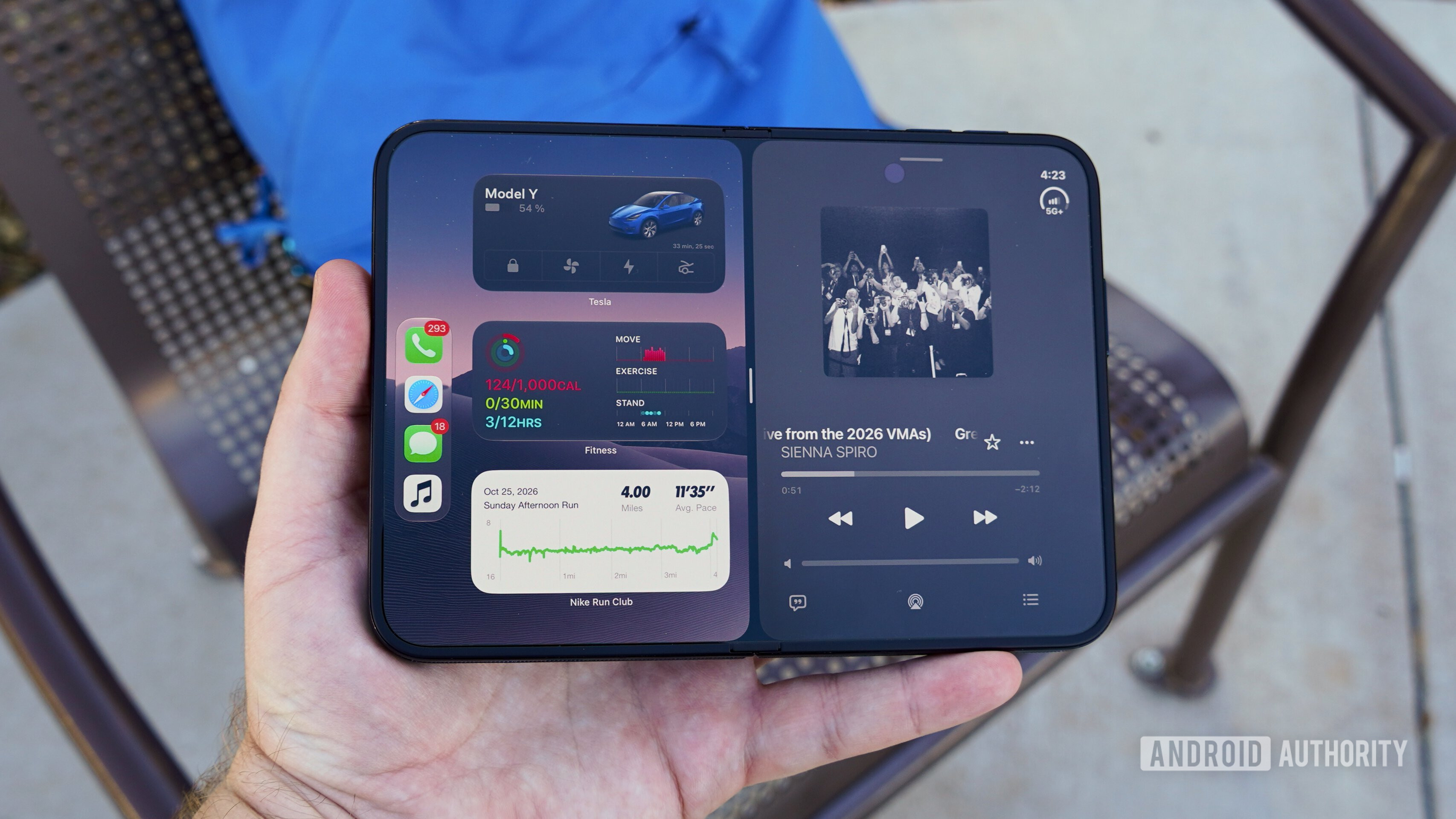
It’s early, and the iPhone Duo’s software and app support will undoubtedly change quickly in the weeks and months following the phone’s launch. Right now, though, the software experience on the iPhone Duo is silly and frustrating. Remember tapping the “2x” button on an iPad to enlarge the iOS version of an unoptimized app? You’ll be doing that a lot as an iPhone Duo early adopter.
None of this is the fault of app developers. Apple made a series of decisions about how to handle iPhone Duo software that could make for great experiences in the future, but rough patches today. It barely gave developers any notice, and created a new iOS 27.1 SDK that developers must update their apps to for full compatibility. It could’ve allowed iPadOS apps to run on iPhone Duo, but chose not to.
As a result, unoptimized apps like Asana are worse to use on any of the iPhone Duo’s screens and orientations than a regular iPhone. And there are heaps of unoptimized apps — even Apple’s official Apple Store app wasn’t fully optimized for iPhone Duo on day one.
The app updates aren’t coming quickly, either. I’ve only seen one of my apps get an iPhone Duo update in the five days since the phone’s release. Again, this isn’t an app developer problem; it’s an Apple problem. Developers had 242 days between the launch of Apple’s Vision Pro headset and its on-shelf date to build and optimize their apps. They had just 44 days to build and optimize for iPhone Duo, and it clearly wasn’t enough time.
Apps that are fully reimagined for the iPhone Duo aren’t perfect, either. In the early days of the iPad, it was a portrait-first device. It’s the opposite for the iPhone Duo. The software, from the sidebar navigation to the app design, favors landscape mode. If I unfold the iPhone Duo and tilt it into portrait mode, the sidebar and virtual keyboard take up over 70% of the screen area. The same goes for optimized apps like Threads or Slack.
Multitasking is limited compared to Android, but that’s to be expected. I can run up to eight apps at once on my Galaxy Z Fold 8, while the iPhone Duo can only show two apps in a 50:50 split, plus a picture-in-picture window.
How does the Duo compare to the Android field?
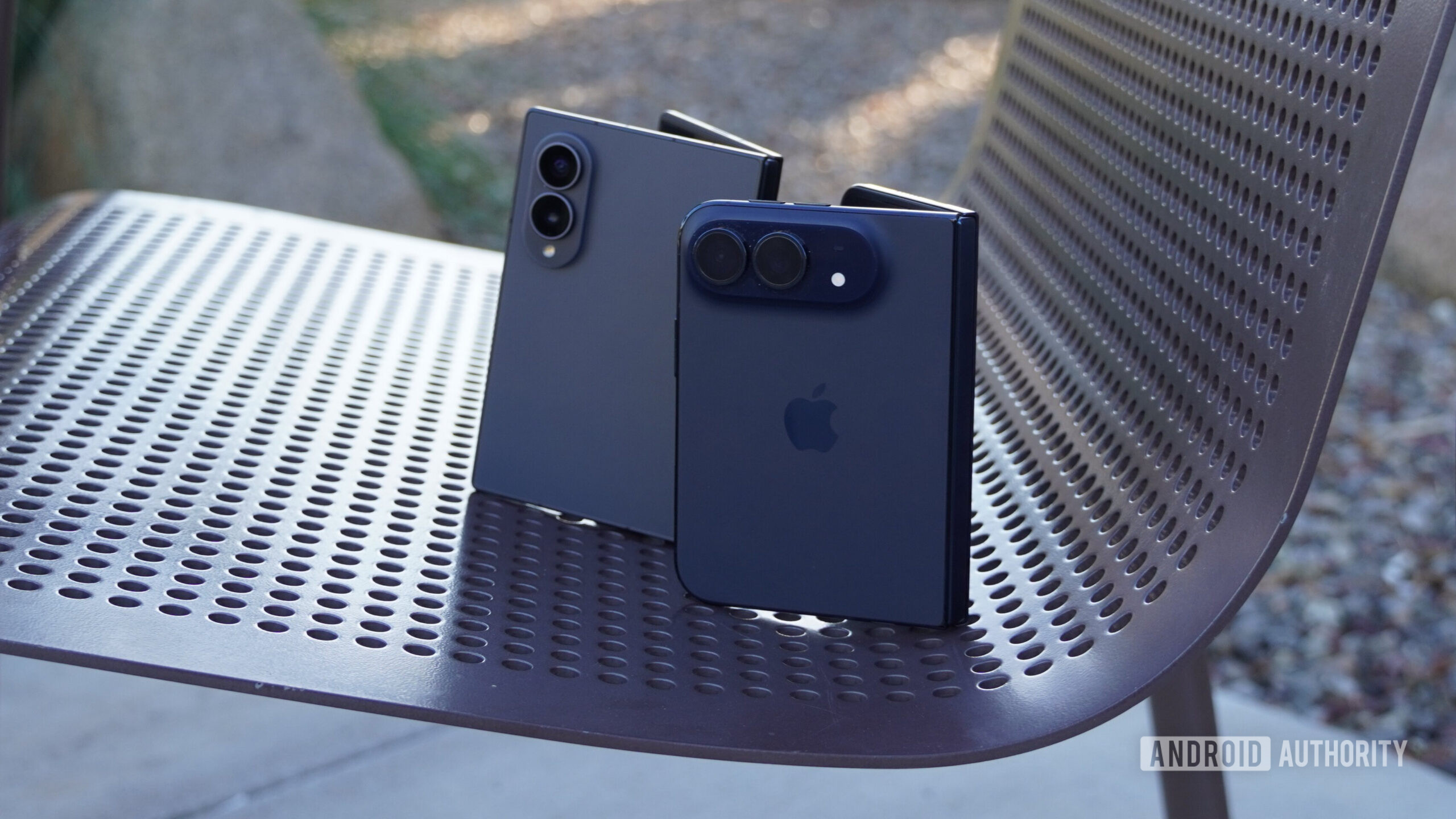
The foldable market is officially ripe with choices for US buyers now that Apple is finally in the mix. There are the Google Pixel 11 Pro Fold, Motorola Razr Fold, and Samsung Galaxy Z Fold 8 Ultra for those who want a flagship experience and a square folding display. Buyers who prioritize compactness can pick flip phones like the Razr 2026 series and the Galaxy Z Flip 8. Having used all these phones, it’s clear that the wide Galaxy Z Fold 8 and iPhone Duo exist in a world of their own.
If you’re as enamored with the wide foldable form factor as I am, it’s a two-horse race between the Galaxy Z Fold 8 and the iPhone Duo. It’s early, but I prefer using the Galaxy Z Fold 8 as a phone. It’s thinner, lighter, and has much better software. It’s not just an app support issue, either — the iPhone Duo’s cover screen fits less content than the Galaxy Z Fold 8’s cover screen due to Apple’s new side controls.
The flip side is that the iPhone Duo is a better pocketable tablet, especially for anyone who values stylus support. I still expect people to buy these phones along ecosystem lines. If you’re a longtime iOS or One UI user, I doubt the iPhone Duo or the Galaxy Z Fold 8 hardware will make you want to switch.
Inner screen is great for videos
Powerful
Source: Read original article



Comments ()