Apple HomeView could be even more impressive with a few tweaks

After using HomeView for the past few weeks, I've grown to like many of its core features. There are some obvious omissions and bugs I'd like to see fixed.
As the first of a brand new product category, there is a laundry list of bug fixes, overlooked features, and quality-of-life enhancements for future Apple HomeView software and hardware. Here's what we'd like to see, and what some of you have told us that you'd like.
Updates to faces & widgets
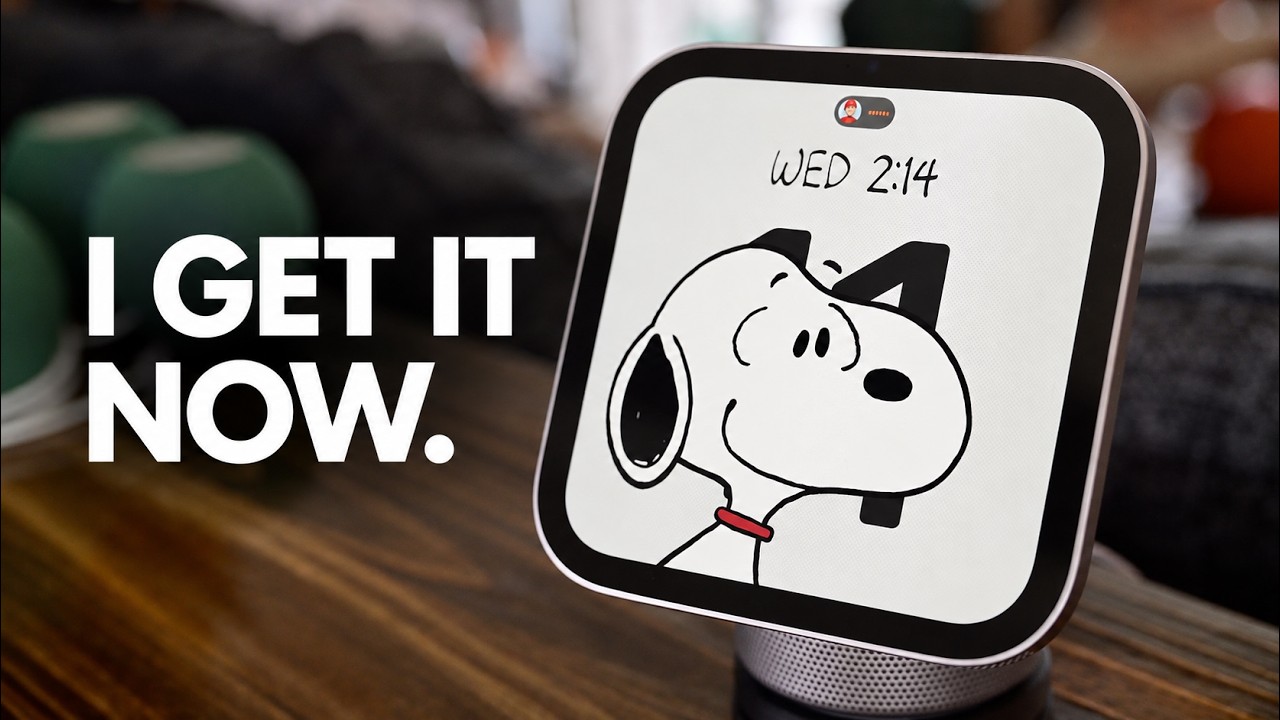
At launch, HomeView has a dozen different faces for users to choose from. There are ones for the time, photo ones, and ones dedicated to the smart home.
Subscribe to AppleInsider on YouTube
These are great, but there are a couple of solid tweaks to make them better.
I want to see full-screen widgets. Right now, you can do a modular face and choose four widgets to display at once.

Customizing Modular face on HomeView
There's no way to just display one, large widget though. This would be great for a number of different widgets that are already there.
Bauhaus is a clock app with gorgeous widgets. Let me just choose one of those to take over the whole face of HomeView.

Calendar face on HomeView
The Apple Calendar app would be hugely appreciated. Then I can just see a list of what is coming up during the day without opening the app or being limited to one little corner.

Calendar app on HomeView
There are many dedicated, wall-mounted smart calendars and it's a bit surprising Apple didn't consider more directly taking them on with HomeView. Giving us a dedicated Calendar face that does more than just show the date is a start.
Doubling-down, why can't we do half-sized widgets that take up half the face? Instead of four, let me have two vertical widgets or do two on one side and a tall one on the other.
That would be similar to the iPhone Duo. I'd set up a clock and calendar month view on one side with the day's schedule on the right, or maybe a list of trending news items.
Devs already have these different-sized widgets, they would just need to be unlocked to be used on HomeView.
For new widgets, I think Apple should integrate Apple Health. I love using HomeView bedside, and a useful widget would be my vitals or sleep stats.

Widget picker on Apple HomeView
When I wake up in the morning, I could see my overnight sleep graph or any vitals that are elevated while I get ready for the day. Other useful points could be your Activity Rings for the day.
To bring this all together and put a bow on it, would be the ability to automatically change faces. Instead of requiring users to manually change between them, why not allow them to be scheduled, tied to Focus modes, or even change intelligently like a Smart Stack.
My thinking here is that I want different faces throughout the day. For the kitchen HomeView, give me the weather and calendar in the morning, podcast controls and news widgets during the day, before switching to Snoopy or a clock in the evening.
I think the Smart Stack approach would be great because I love the anticipatory nature, but focus modes would be a great option. I already have those focus modes for morning, work, evening, and sleep, why not use those triggers for the display like it does my Apple Watch face?
Improvements to Home
Using the HomeView as a smart home display is its greatest strength. I've had no issues controlling my accessories via Siri and the auto-rotating Smart Stack and suggestions in Control Center are excellent at anticipating what I need.
Because it's the way I use HomeView most, I may have one or two tiny, little requests for how it can be improved.

Center Stage camera on HomeView
The biggest request is to put that camera to use. I'm not sure why Apple neglected the built-in Center Stage camera for the launch, but it seems like a glaring omission.
At a minimum, the camera can be used to detect motion. It should show as a motion or presence sensor in the Home app which could be tied to automations.

Live feed of the doorbell camera on Apple HomeView
For example, if you put this in your kitchen, whenever someone enters the kitchen it can automatically turn on the under-cabinet lighting. When there is nobody in the room, they turn off.
Going further, this camera could be used as a security camera. When away from the home, if it detects a person, record them.
It would basically be a HomeKit Secure Video security camera, like the Eve Indoor Cam or Ecobee Indoor Camera. There would need to be many security and privacy considerations for this use case.
This was one of my first thoughts with HomeView and Apple at least considered it. Leaked code references point to Apple's work on this, and even suggest that it would both light up and chime when recording is taking place.

Control Center on Apple HomeView
Another, smaller feature I'd like to see is support for the Shortcuts app. I'd love to be able to tie shortcut controls to either the Modular face or in Control Center.
One example of this is my pet feeder. I can control it with my voice and Siri Shortcuts, but it would be helpful to have a control added so I can tap it without speaking.
Currently, HomeView only lets you put "controllable" accessories on your Home Modular face. It needs to allow sensors, too.
Instead of seeing a generic widget, I want to put my own Eve Degree weather station on there so I can see the temperature and humidity on my own porch, rather than a weather station miles away.
Any other sensors or passive accessories should be included. The status of a contact sensor, a room's air quality, and presence sensing all make sense to me to see added to your HomeView face.
Finally, notifications. Not all notifications though, because that opens up a whole can of worms.
Rather, I think we should have limited home notifications. If I have it on my desk, maybe I want to get an alert when there is motion on the front porch or my toddler comes out of his room after his nap.
The app landscape is tenuous
I don't know how I fully feel about third-party apps on HomeView. It's a bit of a double-edged sword and I want to be careful about what I ask for.

App picker on HomeView
On one hand, it could make the device much more useful. There could be native apps for different smart home ecosystems, robust streaming apps, and a whole lot more.
On the other hand though, the device doesn't need to do that much. HomeView is best when there is glanceable information and brief interactions.
I wouldn't want to be sitting there playing Fortnite on this countertop or wall-mounted display. After using it, I think there's a middle ground that Apple could offer that still is similar to what it does with CarPlay.
Instead of opening it up to everything, Apple starts allowing select categories of apps. Video streaming apps, news apps, calendar apps, smart home apps, weather apps, and cooking apps are some of the categories that would make sense.
Most of them would be quick and glanceable and unlock a lot of potential. I could see a chore app for kids to track their progress or an Aqara app for more granular control of Aqara home accessories.

Siri AI on Apple HomeView
Another useful category would be AI chatbots. You'd be able to jump right into a conversation with ChatGPT or your Muse agent.
If Apple should choose to more robustly support third-party apps, it likely won't be until WWDC 2027. The good news is we may get something in the meantime, as Apple's own code suggests that AI chatbots could be coming soon.
AI chatbots are already available as CarPlay apps so unlocking them on HomeView is trivial. Many won't even require any updates.
Not without optimism
I know this comes off as a massive gripe fest around HomeView. In my eyes, it's far from it.
This is all coming from a place of excitement and optimism. It's not controversial to say that HomeView has launched with a number of bugs that have been frequently highlighted.
We've seen issues where Siri AI says it is unable to set an alarm on this device until it gets a software update, even though it's on the latest software.

Calendar widget on Apple HomeView
There have been the obvious issues with some third-party widgets and lots of critiques on apps. For the most part though, the hardware is solid.
HomeView gives me the feeling of the OG Apple Watch or Apple TV and those got lots of refinement and updates over time. That's what has me excited for HomeView despite these bugs.
I'm eager to see what features Apple could add, how the device evolves, and for Apple to continue to take the smart home more seriously.
None of these day-one bugs have stopped me from enjoying HomeView, even if they cause temporary frustration. It's good at core features and will only get better.
We'll see soon if Apple has anything official planned for the 27.3 update in December along with Apple's other platforms.
Source: Read original article


Comments ()