


Since its introduction last year, Gemini Live has rapidly evolved and become increasingly sophisticated, enhancing user interaction with its advanced conversational AI capabilities. Recently, Android Authority highlighted an exciting new feature: the upcoming ability to communicate with Gemini Live in multiple languages.
In the latest beta version of Google’s app, identified as “16.9.39.sa.arm64” for Android, users can add a second language to their settings. This innovative enhancement allows seamless switching between two selected languages during conversations, significantly improving accessibility for users around the globe.
This multi-language capability was initially hinted at in late 2024. However, this marks the first instance where a beta version has provided users with a tangible option to select languages from a comprehensive list. Currently, Gemini Live supports an impressive array of over 45 languages, catering to a diverse international user base.
Additional features are on the horizon for Gemini Live. Among these are the ability to upload videos for analysis, which will broaden the scope of interaction and enable users to engage with the AI in even more dynamic ways.
There has been no official announcement regarding the timeline for releasing these features to the public.
Unveiled initially as Bard, Google’s Gemini Live is designed to foster a more natural and engaging conversational experience with AI. By allowing for spoken dialogue rather than exclusively relying on text-based prompts, this feature aims to replicate the fluidity and nuance of real-time conversations, offering users a more intuitive and seamless way to interact with technology.
Gemini Live is readily available across Android and iOS platforms. It’s free to all users.

Bryan M. Wolfe has over a decade of experience as a technology writer. He writes about mobile.
5 awesome things you can do with Google Gemini Advanced

Gemini Advanced has been in Google’s AI spotlight since it was unveiled in February, providing a more premium AI experience that integrates directly into all your favorite Google apps.
Gemini Advanced is known to be far more “capable at highly complex tasks” than the free version of Gemini, with its abilities including, “coding, logical reasoning, following nuanced instructions, and creative collaboration, amongst many others.” It’s a lot like Microsoft’s Copilot Pro, except made for the Google ecosystem of apps.
Easy Gemini Advanced access in Google Apps
Read more
I compared ChatGPT against Google Gemini to see which is the better free AI chatbot
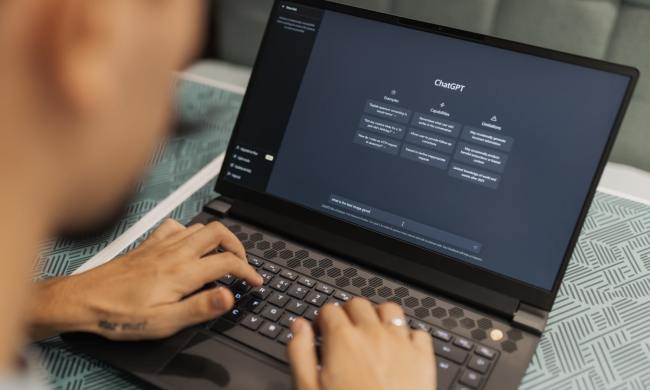
Two of the leading AI chatbots available today come from Google, with its Gemini system, and OpenAI, the company that kicked off the AI revolution with ChatGPT.
But you might be wondering which is the better free chatbot. I’ve spent a significant time with both to see how they compare, break down the costs and benefits of each service, explain what features you’ll have to pay for and which you get for free, and show you which AI is best for what you need.
Pricing and tiers
Both ChatGPT and Gemini are available to the public for free at their respective websites and through their mobile apps. However, free tier users will only receive limited access to the most current and capable models.
Read more
You’ll soon be able to control your Chromebook with just your face

Chromebooks have AI too. Google’s recent comments on its AI advances arrived between Microsoft’s big Copilot+ announcement and the forthcoming Apple AI news. In addition to outlining a few new AI features that are now available for Google’s Chromebook Plus line of laptops, Google previewed a fascinating feature coming later that would let you control the entirety of your Chromebook with just your face.
Using computer vision and the webcam built into your Chromebook, you’ll soon be able to talk to it, move your face, and make hand gestures to control your Chromebook. Google calls it Project Gameface, and it’s being built right into ChromeOS. The feature was originally announced via a blog post on May 10, and is aimed at creating a “hands-free, AI-powered gaming mouse,” but now it’s being expanded and is officially coming to Chromebooks.
Read more
