

Samsung has released the second One UI 8.5 beta update for the Galaxy S23, Galaxy S23+, Galaxy S23 Ultra, Galaxy Z Flip5, Galaxy A36, and Galaxy A35.
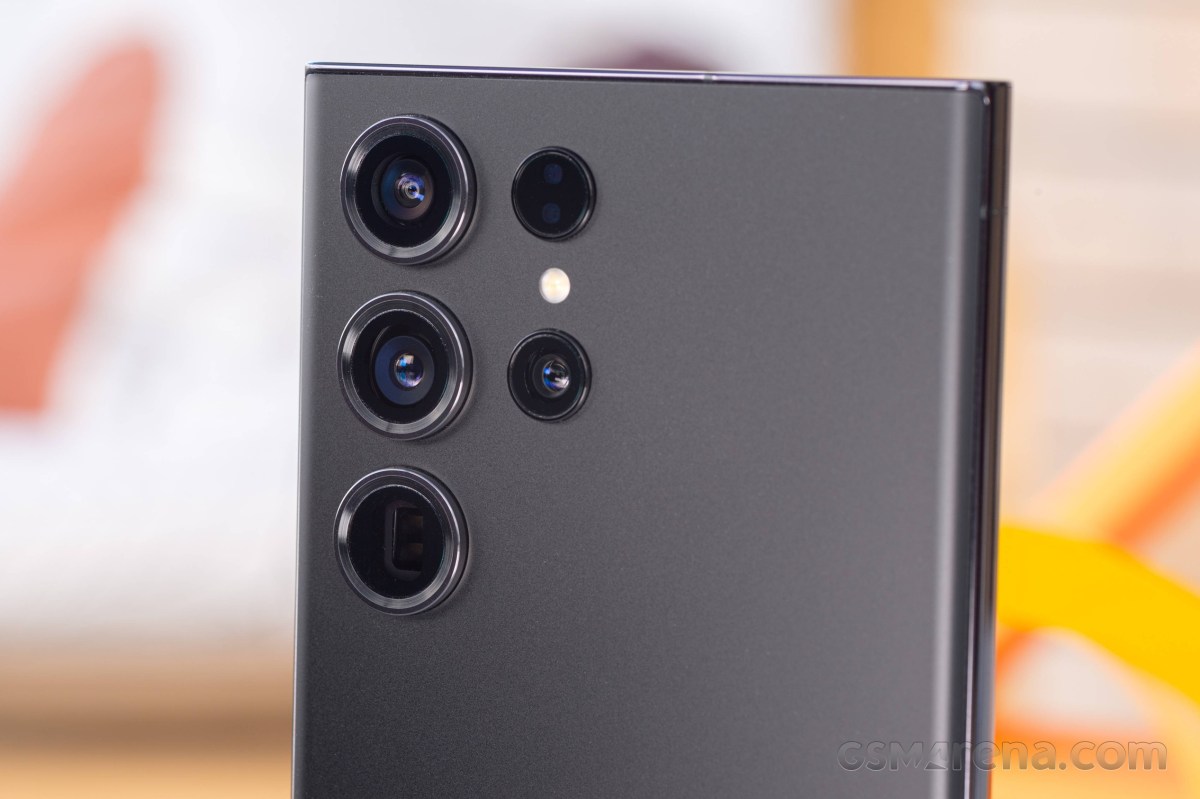 Samsung Galaxy S23 Ultra
The One UI 8.5 beta 2 update for the Galaxy S23 trio is rolling out in India and South Korea with the firmware version ending in ZZDP. It requires a download of over 700MB and includes the April 2026 security patch and some bug fixes.
Samsung Galaxy S23 series One UI 8.5 Beta 2 update changelog:
- Improved incoming screen late or black screen when a call is received in certain states
- Improved proximity release behavior error during call
- Improved issues with green lines when recording videos in 4K HDR on certain app cameras
- Improved Bluetooth Crash
- Improved multi-touch malfunction after increased accessibility
Samsung Galaxy S23
| 128GB 8GB RAM | $ 226.48 |
€ 292.00 |
| 256GB 8GB RAM | $ 290.88 |
€ 411.31 |
| Show all prices | ||
Samsung Galaxy S23+
| 256GB 8GB RAM | $ 314.00 |
€ 322.42 |
| 512GB 8GB RAM | $ 354.99 |
€ 519.99 |
| Show all prices | ||
Samsung Galaxy S23 Ultra
| 256GB 8GB RAM | $ 498.44 |
€ 429.99 |
| 256GB 12GB RAM | $ 729.88 |
£ 399.00 |
| Show all prices | ||
The One UI 8.5 beta 2 update for the Galaxy Z Flip5 comes with firmware version F731NKSU6ZZDN and the April 2026 security patch. It’s rolling in South Korea and weighs around 760MB.
Samsung Galaxy Z Flip5 One UI 8.5 Beta 2 update changelog (machine translated from Korean):
- Improved speaker call volume and poor sound quality while driving
- Show contact images and information when receiving a call from saved contact
- Show a brief pop-up even when the screen is off
- Fixed screen switching issues after saving contacts in folder
- Fixed behavior error when running Camera app
Samsung Galaxy Z Flip5
| 256GB 8GB RAM | $ 297.78 |
€ 410.89 |
| 512GB 8GB RAM | $ 322.96 |
€ 449.99 |
| Show all prices | ||
The Samsung Galaxy A36 is receiving the One UI 8.5 beta 2 update in India with firmware version A366EXXU8ZZD7 and the April 2026 security patch. It requires a download of about 650MB.
Samsung Galaxy A36 One UI 8.5 Beta 2 update changelog:
- Fixed an issue that Bluetooth Autoscan did not work when entering Bluetooth
- Improved the Sluggish/Delay when lowering the Quick Panel
- Fixed an issue that overlaps the message input window with the navigation bar
- Fixed System UI ANR issues after FOTA
Samsung Galaxy A36
| 128GB 6GB RAM | $ 399.99 |
€ 237.62 |
| 128GB 8GB RAM | $ 219.00 |
₹ 33,999 |
| Show all prices | ||
The One UI 8.5 beta 2 update for the Galaxy A35 is also currently rolling out in India. It requires a download of over 1GB and comes with firmware version A356EXXU9ZZD9 and the April 2026 security patch.
Samsung Galaxy A35 One UI 8.5 Beta 2 update changelog:
- Fixed an issue that Bluetooth Autoscan did not work when entering Bluetooth
- Improved the Sluggish/Delay when lowering the Quick Panel
- Fixed an issue that overlaps the message input window with the navigation bar
- Fixed System UI ANR issues after FOTA
Samsung Galaxy A35
| 128GB 6GB RAM | $ 120.19 |
€ 220.00 |
| 128GB 8GB RAM | $ 284.99 |
£ 189.99 |
| Show all prices | ||
If you are enrolled in the One UI 8.5 beta program and haven’t received the second beta update, you can check for it manually by navigating to your phone’s Settings > Software update menu.
